利用IDAPython官方repo提供的工具生成本地doc
IDAPython是IDA中一个很重要的工具,可以让用户使用python脚本来操作IDA实现各种各样的操作。但是IDAPython不同版本之间差异很大,每次发布IDA新版本都会作废一批旧的接口并引入新的函数,这使得IDAPytho使用起来非常依赖文档。Hexrays提供的在线文档访问较慢而且笔者由于工作原因经常需要在离线的情况下使用,所以萌生了生成离线doc的想法。于是折腾了一晚上的时间,终于搞定,特此记录一下折腾过程,以供有相同需要的朋友参考。
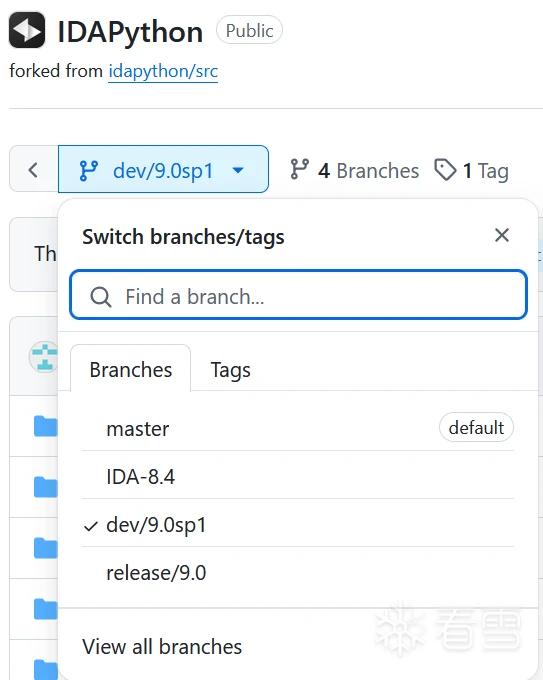
一开始想着使用HTTrack直接镜像一份官方的doc文档不就好了么,结果发现镜像站中跳转全都乱掉了,完全没有改的欲望,于是放弃。几经周转,找到了 官方Repo ,并且在repo的tools/docs目录下找到一个hrdoc.py文件,看起来是开发者自己生成doc用的。
脚本需要提供5个参数,分别为
"-o", "--output"doc输出路径"-m", "--modules"需要生成doc的modules"-s", "--include-source-for-modules""-x", "--exclude-modules-from-searchable-index""-v", "--verbose"可视化
同时,在repo根目录下的makefile里docs目标提供了用法
1 2 3 4 5 6 7 8 9 | DOCS_MODULES=$(foreach mod,$(MODULES_NAMES),ida_$(mod))SORTED_DOCS_MODULES=$(sort $(DOCS_MODULES))docs: tools/docs/hrdoc.py tools/docs/hrdoc.cssifndef __NT__ $(IDAT_CMD) $(BATCH_SWITCH) -S"tools/docs/hrdoc.py -o docs/hr-html -m $(subst $(space),$(comma),$(SORTED_DOCS_MODULES)),idc,idautils -s idc,idautils -x ida_allins" -t > /dev/null# $(IDAT_CMD) $(BATCH_SWITCH) -S"tools/docs/hrdoc.py -o docs/hr-html -m ida_pro,ida_kernwin -s idc,idautils -x ida_allins" -t > /dev/null # use this one for testing (faster)else $(R)ida -Stools/docs/hrdoc.py -tendif |
简单来说就是,-o参数指定输出目录,-m参数跟idapython模块(以逗号","分隔),-s -x 参数照抄makefile里提供的命令。但是直接运行会有各种坑。
修改源码
第三方模块
官方doc生成脚本依赖一个三方库pdoc,但是不能直接用pip安装,需要clone下来。在仓库根目录新建third-party文件夹,clone pdoc。
1 2 3 | mkdir third-partycd third-partygit clone https://github.com/pdoc3/pdoc |
同时修改脚本来解决import路径问题
修改后的脚本如下
1 2 3 4 5 6 7 8 9 10 11 12 13 14 15 16 17 18 19 20 21 22 23 24 25 26 27 28 29 30 31 32 33 34 35 36 37 38 39 40 41 42 43 44 45 46 47 48 49 50 51 52 53 54 55 56 57 58 59 60 61 62 63 64 65 66 67 68 69 70 71 72 73 74 75 76 77 78 79 80 81 82 83 84 85 86 87 88 89 90 91 92 93 94 95 96 97 98 99 100 101 102 103 104 105 106 107 108 109 110 111 112 113 114 115 116 117 118 119 120 121 122 123 124 125 126 127 128 129 130 131 132 133 134 135 136 137 138 139 140 141 142 143 144 145 146 147 148 149 150 151 152 153 154 155 156 157 158 159 160 161 162 163 164 165 166 167 168 169 170 171 172 173 174 175 176 177 178 179 180 181 182 183 184 185 186 187 188 189 190 191 192 193 194 195 | from __future__ import print_functionimport osimport sysimport shutilimport jsonfrom glob import globfrom typing import Dict, Listfrom functools import lru_cachetools_docs_path = os.path.abspath(os.path.dirname(__file__))idapython_path = os.path.abspath(os.path.join(tools_docs_path, "..", ".."))# idasrc_path = os.path.abspath(os.path.join(idapython_path, "..", "..", ".."))idasrc_path = idapython_pathimport idcfrom argparse import ArgumentParserparser = ArgumentParser()parser.add_argument("-o", "--output", required=True)parser.add_argument("-m", "--modules", required=True)parser.add_argument("-s", "--include-source-for-modules", required=True)parser.add_argument("-x", "--exclude-modules-from-searchable-index", required=True)parser.add_argument("-v", "--verbose", default=False, action="store_true")args = parser.parse_args(idc.ARGV[1:])args.modules = args.modules.split(",")args.include_source_for_modules = args.include_source_for_modules.split(",")args.exclude_modules_from_searchable_index = args.exclude_modules_from_searchable_index.split(",")try:# pdoc location pdoc_path = os.path.join(idasrc_path, "third_party", "pdoc") sys.path.append(pdoc_path) sys.path.append(tools_docs_path)# for the custom epytext import pdocexcept ImportError as e: import traceback idc.msg("Couldn't import module %s\n" % traceback.format_exc()) idc.qexit(-1)# --------------------------------------------------------------------------def gen_docs(): sys.path.insert(0, os.path.join(idapython_path, "tools")) # trash existing doc if os.path.isdir(args.output): shutil.rmtree(args.output) # generate new doc build_documentation()# --------------------------------------------------------------------------# This is a ripoff of pdoc's cli.py, w/ minor adjustmentsdef gen_lunr_search(modules: List[pdoc.Module], index_docstrings: bool, template_config: dict): """Generate index.js for search""" def trim_docstring(docstring): return re.sub(r''' \s+| # whitespace sequences \s+[-=~]{3,}\s+| # title underlines ^[ \t]*[`~]{3,}\w*$| # code blocks \s*[`#*]+\s*| # common markdown chars \s*([^\w\d_>])\1\s*| # sequences of punct of the same kind \s*</?\w*[^>]*>\s* # simple HTML tags ''', ' ', docstring, flags=re.VERBOSE | re.MULTILINE) def recursive_add_to_index(dobj): info = { 'ref': dobj.refname, 'url': to_url_id(dobj.module), } if index_docstrings: info['doc'] = trim_docstring(dobj.docstring) if isinstance(dobj, pdoc.Function): info['func'] = 1 index.append(info) for member_dobj in getattr(dobj, 'doc', {}).values(): recursive_add_to_index(member_dobj) @lru_cache() def to_url_id(module): url = module.url() if url not in url_cache: url_cache[url] = len(url_cache) return url_cache[url] index: List[Dict] = [] url_cache: Dict[str, int] = {} for top_module in modules: recursive_add_to_index(top_module) urls = sorted(url_cache.keys(), key=url_cache.__getitem__) main_path = args.output with open(os.path.join(main_path, 'index.js'), "w", encoding="utf-8") as f: f.write("URLS=") json.dump(urls, f, indent=0, separators=(',', ':')) f.write(";\nINDEX=") json.dump(index, f, indent=0, separators=(',', ':')) # Generate search.html with open(os.path.join(main_path, 'doc-search.html'), "w", encoding="utf-8") as f: rendered_template = pdoc._render_template('/search.mako', **template_config) f.write(rendered_template)# --------------------------------------------------------------------------def build_documentation(): # import all modules def docfilter(obj): # print("OBJ: %s" % str(obj)) if obj.name in [ "thisown", "SWIG_PYTHON_LEGACY_BOOL", ]: return False return True modules = [] for module in args.modules: print("Loading: %s" % module) modules.append(pdoc.Module(module, docfilter=docfilter)) print(" {} module{} in the list.".format( len(modules), "" if len(modules) == 1 else "s")) pdoc.link_inheritance() # # ida_*.html # pdoc.tpl_lookup.directories.insert(0, os.path.join(tools_docs_path, "templates")) show_source_code = set(args.include_source_for_modules) def all_modules(module_collection): for module in module_collection: yield module yield from all_modules(module.submodules()) for module in all_modules(modules): module.obj.__docformat__ = "hr_epy" print("Processing: %s" % module.name) html = module.html( show_source_code=module.name in show_source_code, search_prefix=module.name) path = os.path.join(args.output, module.url()) dirname = os.path.dirname(path) os.makedirs(dirname, exist_ok=True) print("Writing: %s" % path) with open(path, "w", encoding="utf-8") as f: f.write(html) # # doc-search.html, index.js # template_config = {} gen_lunr_search( [mod for mod in modules if mod.name not in args.exclude_modules_from_searchable_index], index_docstrings=True, template_config=pdoc._get_config(**template_config).get('lunr_search')) # # index.html # path = os.path.join(args.output, "index.html") class fake_module_t(object): def __init__(self, name, url): self.name = name self._url = url def url(self): return self._url index_module = fake_module_t("index", "index.html") html = pdoc._render_template('/index.mako', module=index_module, modules=modules) with open(path, "w", encoding="utf-8") as f: f.write(html)# --------------------------------------------------------------------------def main(): print("Generating documentation.....") gen_docs() print("Documentation generated!")# --------------------------------------------------------------------------if __name__ == "__main__": main() qexit(0) |
运行脚本
因为脚本需要提供参数,因此无法在ida图形界面中的Script file执行,需要以命令行的方式执行脚本。笔者的环境是osx其他环境可以微调一下。
首先进入ida可执行文件的目录
1 | cd /Applications/IDA\ Professional\ 9.0.app/Contents/MacOS/ |
使用命令
1 | ./ida -S"$HOME/reverse/docs/src/tools/docs/hrdoc.py -o $HOME/reverse/docs/src/tools/docs/hr-html -m idc,idautils,ida_allins,ida_auto,ida_bitrange,ida_bytes,ida_dbg,ida_diskio,ida_dirtree,ida_entry,ida_expr,ida_fixup,ida_fpro,ida_frame,ida_funcs,ida_gdl,ida_graph,ida_ida,ida_hexrays,ida_idaapi,ida_idc,ida_idd,ida_idp,ida_ieee,ida_kernwin,ida_lines,ida_loader,ida_merge,ida_mergemod,ida_moves,ida_nalt,ida_name,ida_netnode,ida_offset,ida_pro,ida_problems,ida_range,ida_registry,ida_regfinder,ida_search,ida_segment,ida_segregs,ida_srclang,ida_strlist,ida_tryblks,ida_typeinf,ida_ua,ida_undo,ida_xref -s idc,idautils -x ida_allins" -t |
生成docset格式的文档导入dash
目前没找到工具将pdoc生成的文件转化成docset格式文件,因此暂时只能用html2dash工具来导入。
1 2 3 | git clone https://github.com/selfboot/html2Dashcd html2Dashpython html2dash.py -n idapython ../hr-html/ |
然后dash手动导入即可。
最后附上一份生成好的离线文档。