初探某加固方案
前言
这几天想学学加固,看到了大佬的帖子
https://bbs.kanxue.com/thread-280609.htm#msg_header_h1_11
复现分析的时候发现该加固更新了部分地方,故总结了一下我的复现过程
APK界面:

特征分析
观察attachBaseContext类:
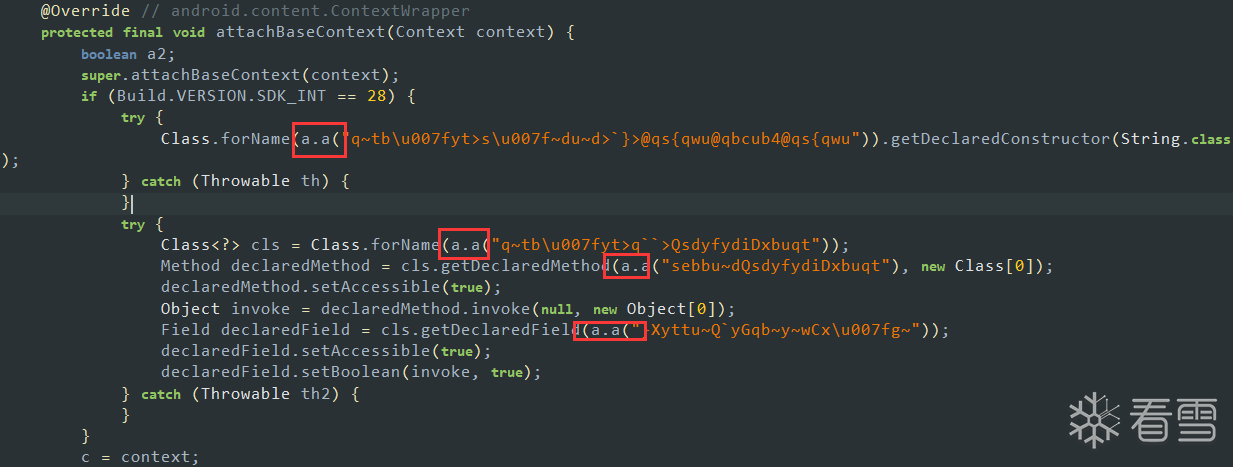
值得注意的是attachBaseContext与onCreate类都属于Application的回调方法,会进行一些初始化操作。
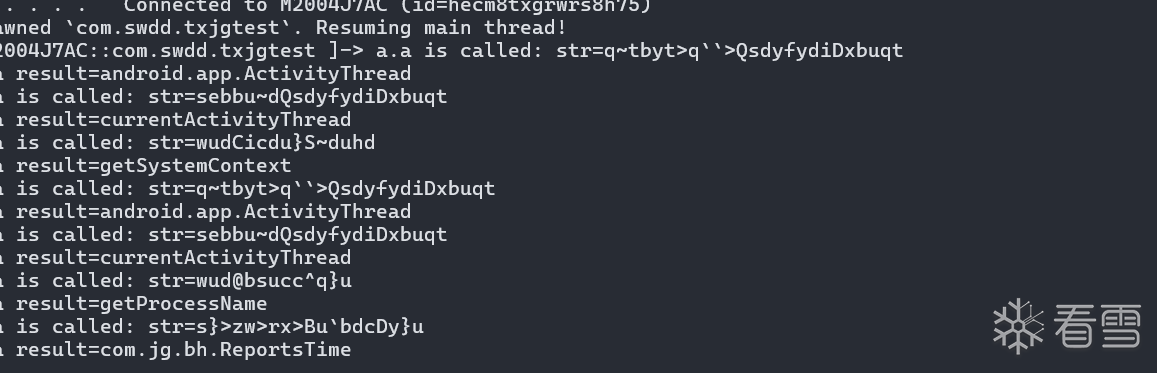
这里我们观察他在加载字符串的时候都使用了a.a方法,那么显然a.a方法就是就是一个解混淆的方法咯,我们还可以hook住看一下都做了些什么
let a = Java.use("com.tianyu.util.a");
a["a"].overload('java.lang.String').implementation = function (str) {
    console.log(`a.a is called: str=${str}`);
    let result = this["a"](str);
    console.log(`a.a result=${result}`);
    return result;
};
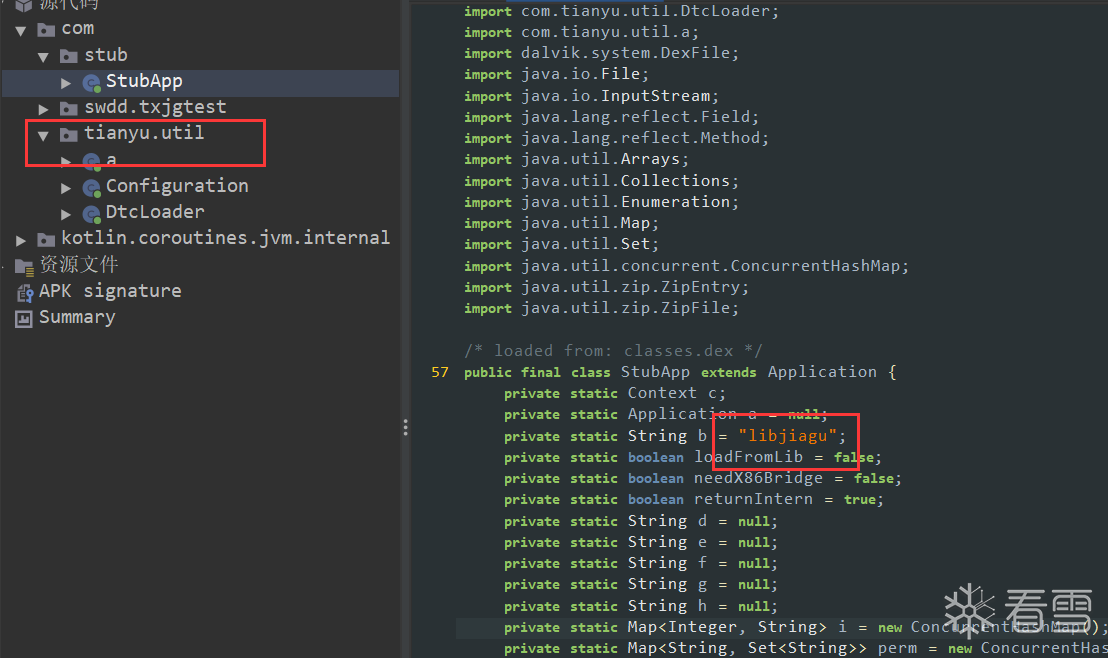
在Stub最开始我们可以找到这个字符串:
private static String b = "libjiagu";
对他交叉引用看一看
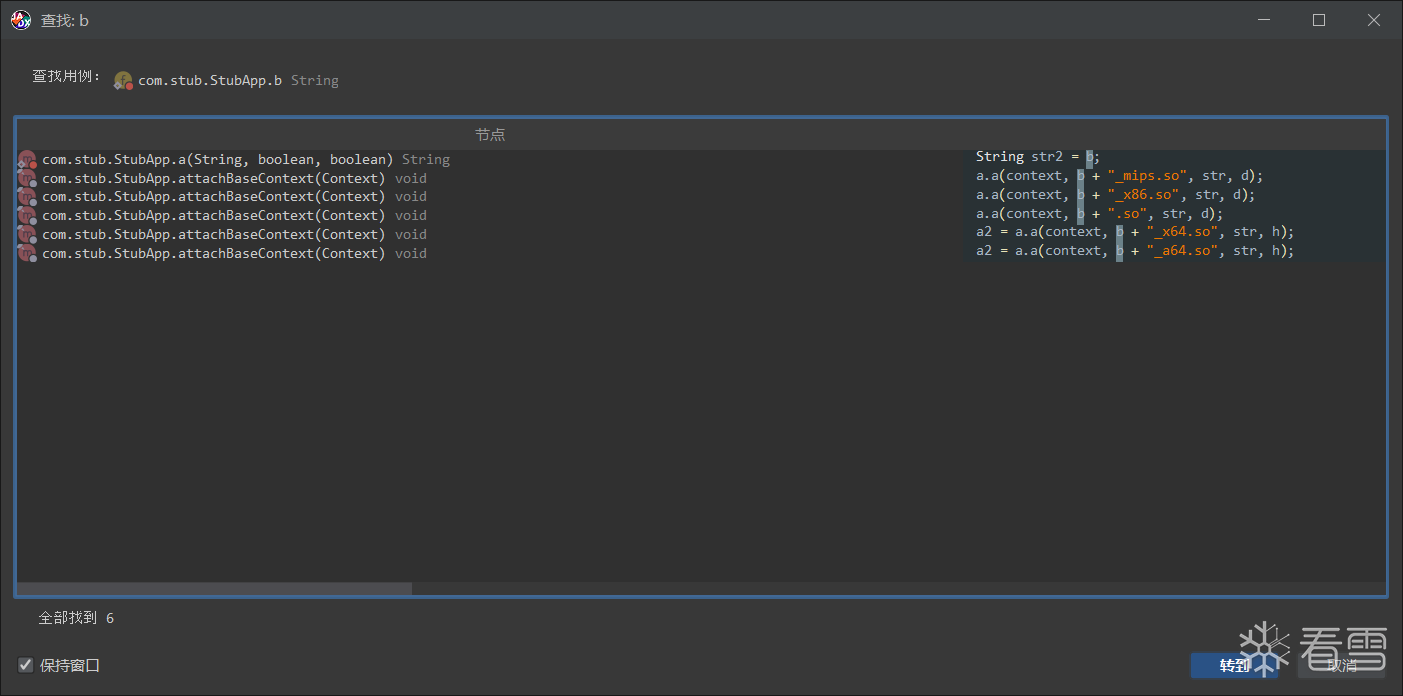
可以发现加固保会判断手机的架构,针对不同的架构加载不同的Native文件。
Native层分析
显然我们可以发现该加固是通过Native层去释放Dex文件的,因此,我们主要分析的还是Native层的内容。
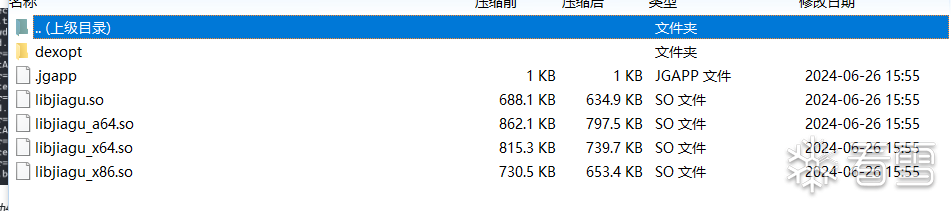
这里我们主要分析arm64:
壳ELF导入导出表修复:
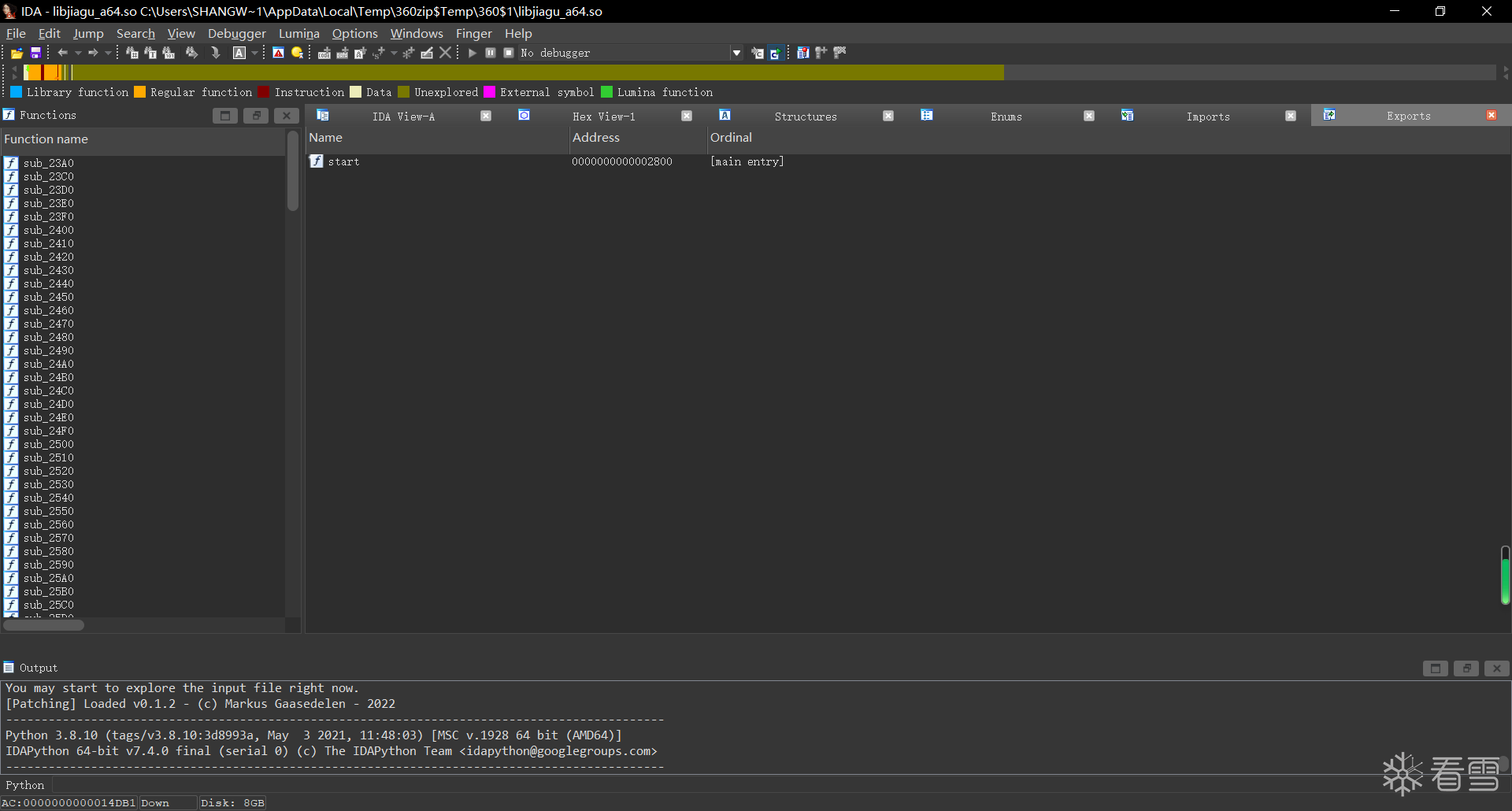
可以发现该加固对于最外面的ELF做了处理,抹除了SO的导出表,如果没有导入导出表的话,这个ELF文件是如何运行的呢,那么不难发现其实加固保应该是使用了自己定义的链接器,在装载内存的时候才做相应的链接操作。
首先我们先hook dlopen来查看APK加载了哪些so文件:
1 2 3 4 5 6 7 8 9 10 11 | function hook_dlopne() { Interceptor.attach(Module.findExportByName("libdl.so", "android_dlopen_ext"), { onEnter: function (args) { console.log("Load -> ", args[0].readCString()); }, onLeave: function () { } })}setImmediate(hook_dlopne); |
正常来说,我们如果Hook dlopen的话,在安卓7.0之后我们需要hook的值则为"android_dlopen_ext":
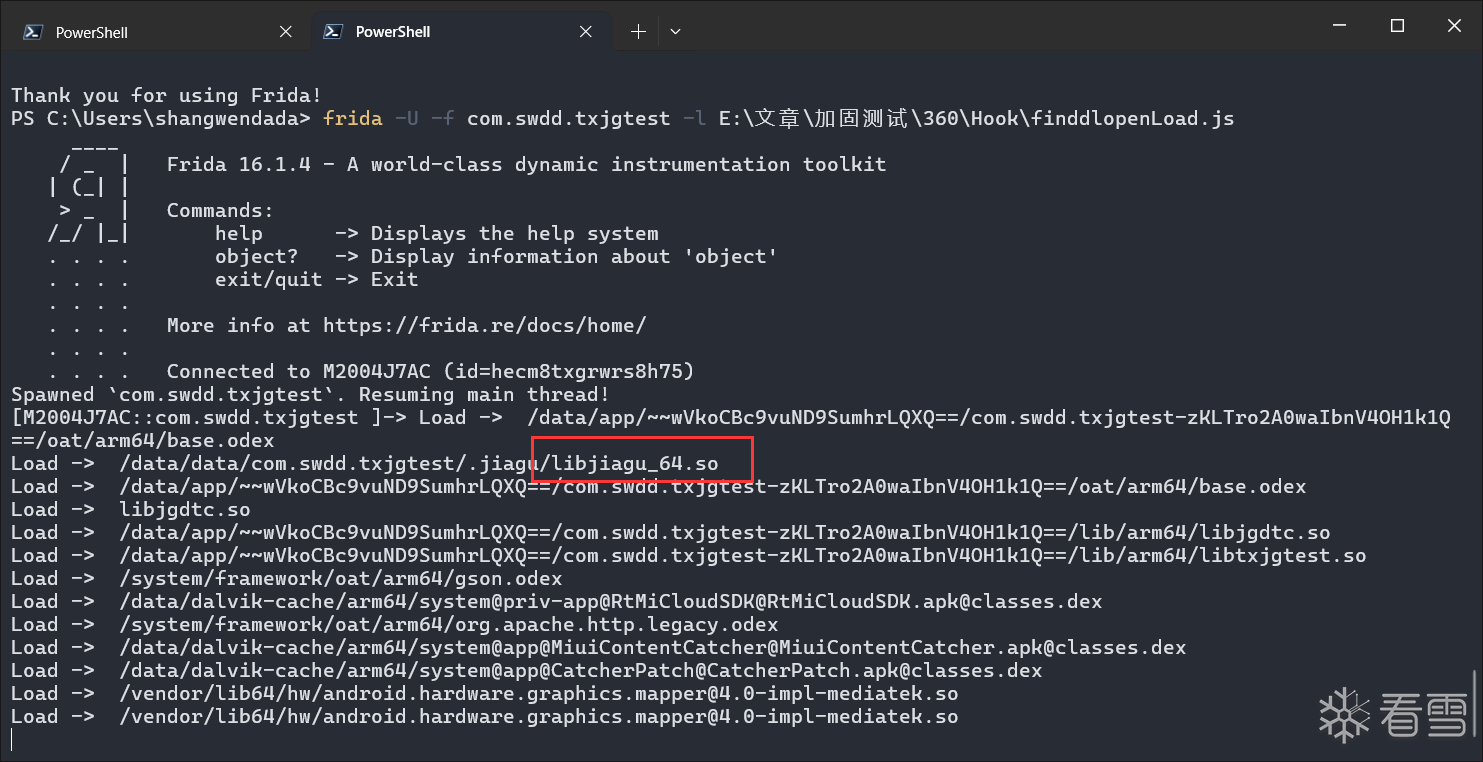
我们可以发现加载了libjiagu_64.so,接下来就是想办法把它dump下来了,首先我们启动APP,使用frida -U -F -l Hook.js
参数注入如下脚本
1 2 3 4 5 6 7 8 9 10 11 12 13 14 15 16 | function dump_so() { var soName = "libjiagu_64.so"; var libSo = Process.getModuleByName(soName); var save_path = "/data/data/com.swdd.txjgtest/" + libSo.name + "_Dump"; console.log("[Base]->", libSo.base); console.log("[Size]->", ptr(libSo.size)); var handle = new File(save_path, "wb"); Memory.protect(ptr(libSo.base), libSo.size, 'rwx'); var Buffer = libSo.base.readByteArray(libSo.size); handle.write(Buffer); handle.flush(); handle.close(); console.log("[DumpPath->]", save_path);}setImmediate(dump_so); |
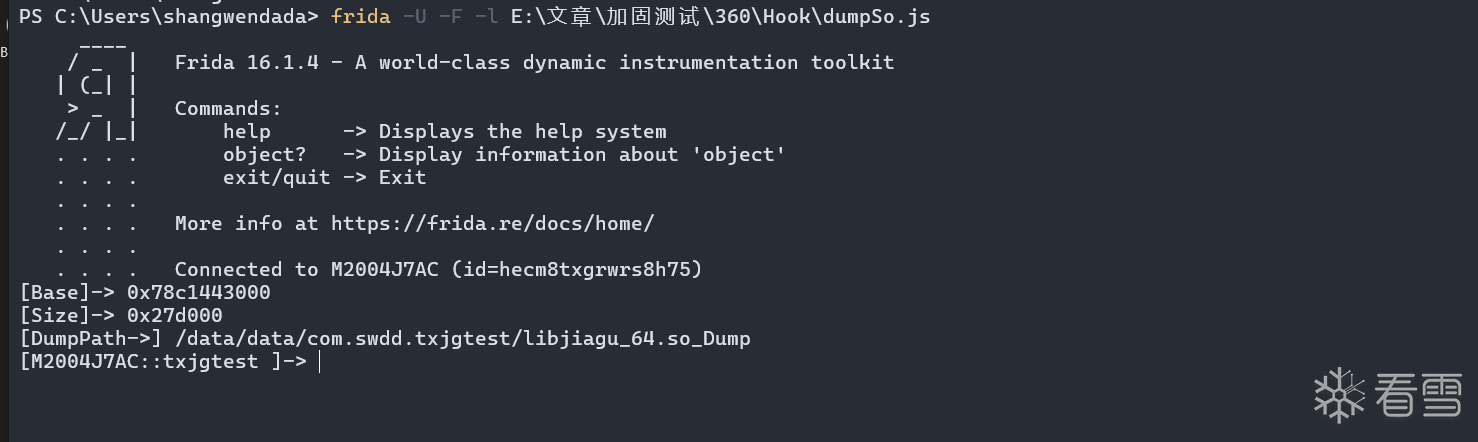
1 2 3 | [Base]-> 0x78c1443000[Size]-> 0x27d000[DumpPath->] /data/data/com.swdd.txjgtest/libjiagu_64.so_Dump |
这三个参数很重要,等下修复SO的时候需要使用。
SoFixer:https://github.com/F8LEFT/SoFixer
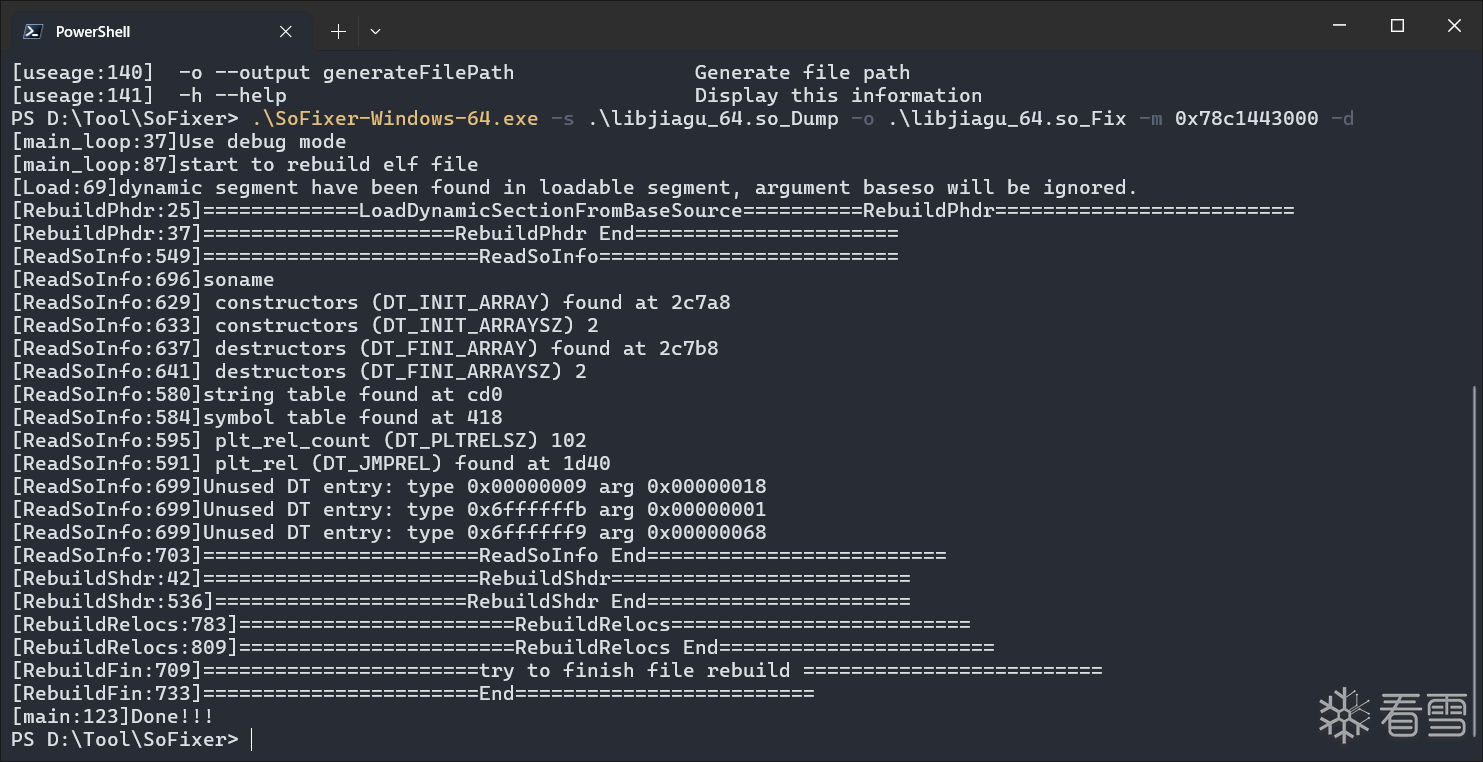
接下来我们需要使用SoFixer修复我们dump下来的So文件:
1 | .\SoFixer-Windows-64.exe -s .\libjiagu_64.so_Dump -o .\libjiagu_64.so_Fix -m 0x78c1443000 -d |
-m是刚刚我们脚本输出的偏移地址
壳ELF分析:
接下来我们要做的就是分析ELF的逻辑了:
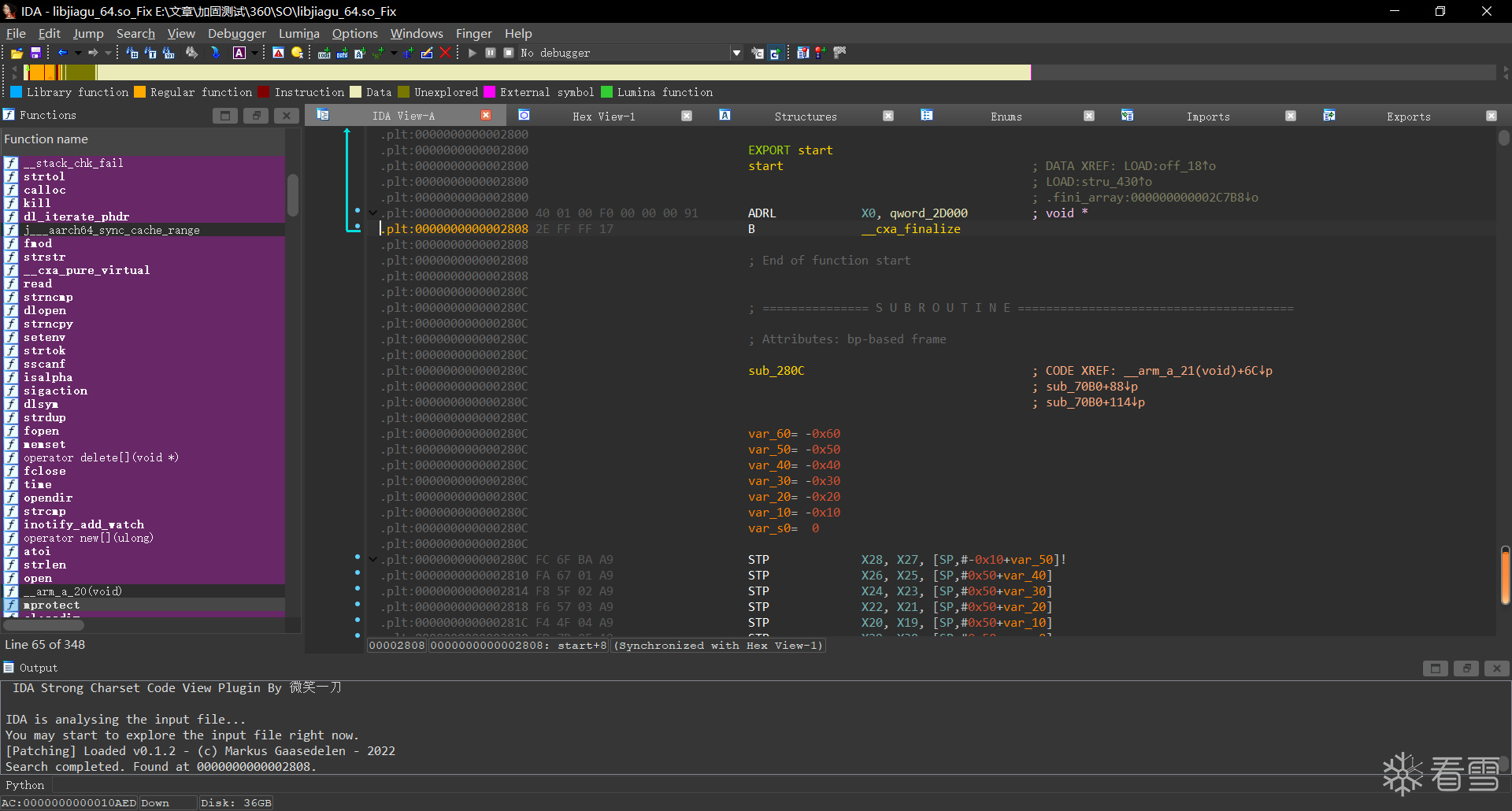
刚开始拿到这个ELF我们还无从下手,但是根据加固思路,我们可以先hook open函数,查看读取了哪些文件。
1 2 3 4 5 6 7 8 9 10 11 12 13 14 15 16 17 18 19 20 21 22 23 24 25 26 27 28 29 30 31 | function hookOpen() { var openPtr = Module.getExportByName(null, 'open'); const open = new NativeFunction(openPtr, 'int', ['pointer', 'int']); Interceptor.replace(openPtr, new NativeCallback(function (fileNamePtr, flag) { var fileName = fileNamePtr.readCString(); if (fileName.indexOf('dex') != -1) { console.log("[Open]-> ", fileName); } return open(fileNamePtr, flag); }, 'int', ['pointer', 'int']))}function hook_dlopne() { Interceptor.attach(Module.findExportByName("libdl.so", "android_dlopen_ext"), { onEnter: function (args) { var loadFileName = args[0].readCString(); // console.log("Load -> ", loadFileName); if (loadFileName.indexOf('libjiagu') != -1) { this.is_can_hook = true; } }, onLeave: function () { if (this.is_can_hook) { hookOpen(); } } })}setImmediate(hook_dlopne); |
得到输出如下:
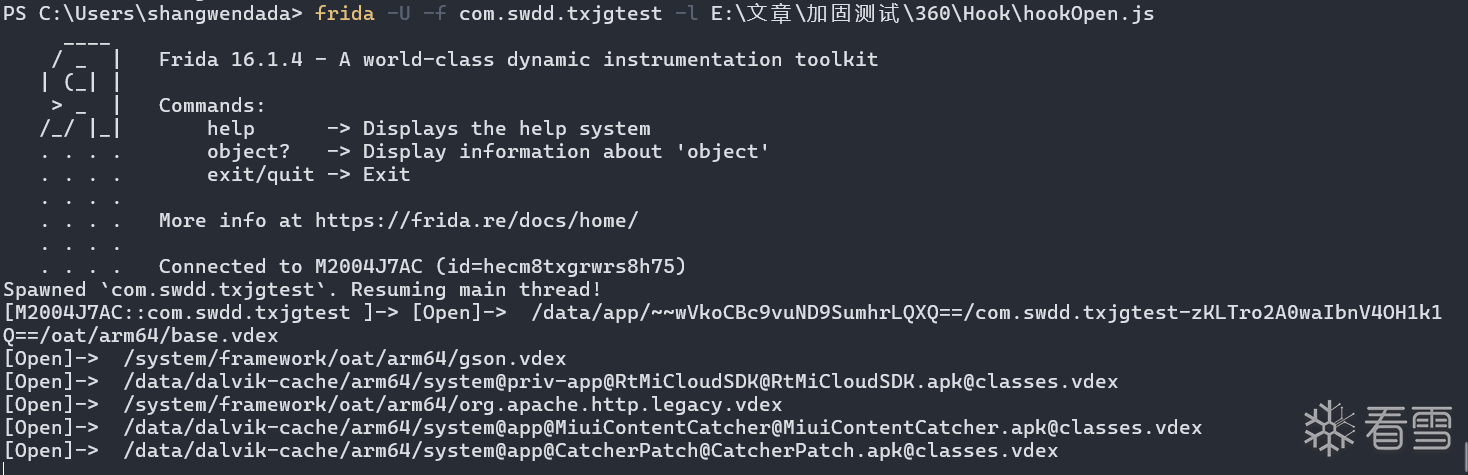
我们发现,非常奇怪,居然没有打开与我们程序相关的dex文件,我们取消对dex的过滤,查看一下都打开了一些什么内容。
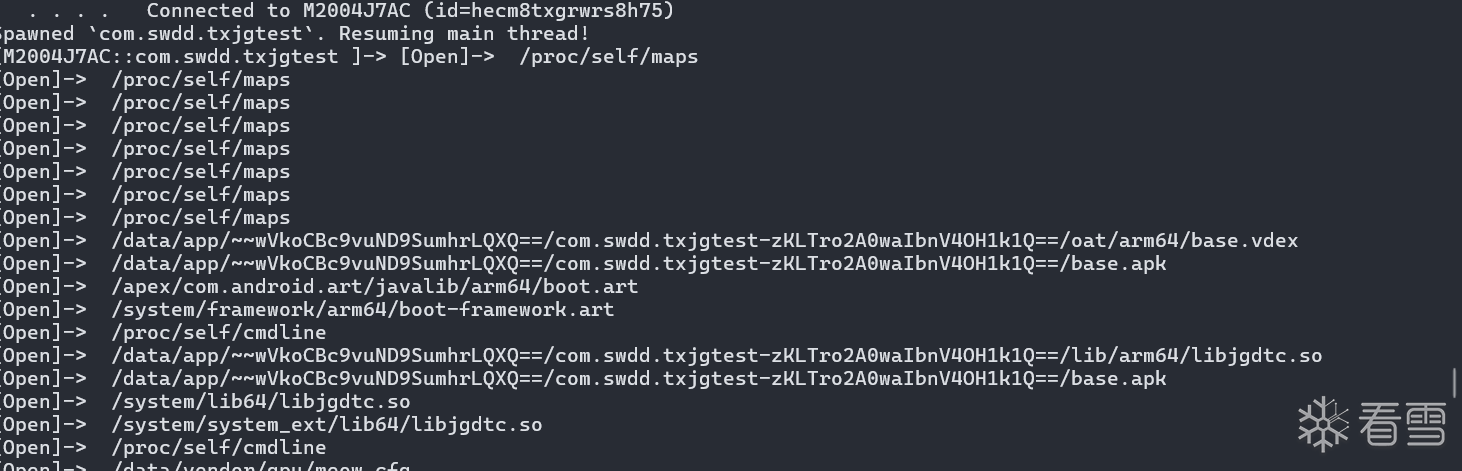
多次的打开了maps文件,那么我们知道该文件包含了进程的内存映射信息,程序频繁读取是为了什么呢,其实猜测就是为了隐藏打开dex的操作,那么我们只需要重定向一下maps就可以了,hook open将打开open时如果存在扫描maps,就定向到自己的fakemaps。
1 2 3 4 5 6 7 8 9 10 11 12 13 14 15 16 17 18 19 20 21 22 23 24 25 26 27 28 29 30 31 32 33 34 35 36 37 38 39 40 41 | function hookOpen() { var FakeMaps = "/data/data/com.swdd.txjgtest/maps"; var openPtr = Module.getExportByName(null, 'open'); const open = new NativeFunction(openPtr, 'int', ['pointer', 'int']); var readPtr = Module.findExportByName("libc.so", "read"); Interceptor.replace(openPtr, new NativeCallback(function (fileNamePtr, flag) { var FD = open(fileNamePtr, flag); var fileName = fileNamePtr.readCString(); if (fileName.indexOf("maps") >= 0) { console.warn("[Warning]->mapsRedirect Success"); var filename = Memory.allocUtf8String(FakeMaps); return open(filename, flag); } if (fileName.indexOf('dex') != -1) { console.log("[OpenDex]-> ", fileName); } return FD; }, 'int', ['pointer', 'int']))}function hook_dlopne() { Interceptor.attach(Module.findExportByName("libdl.so", "android_dlopen_ext"), { onEnter: function (args) { var loadFileName = args[0].readCString(); // console.log("Load -> ", loadFileName); if (loadFileName.indexOf('libjiagu') != -1) { this.is_can_hook = true; } }, onLeave: function () { if (this.is_can_hook) { hookOpen(); } } })}setImmediate(hook_dlopne); |
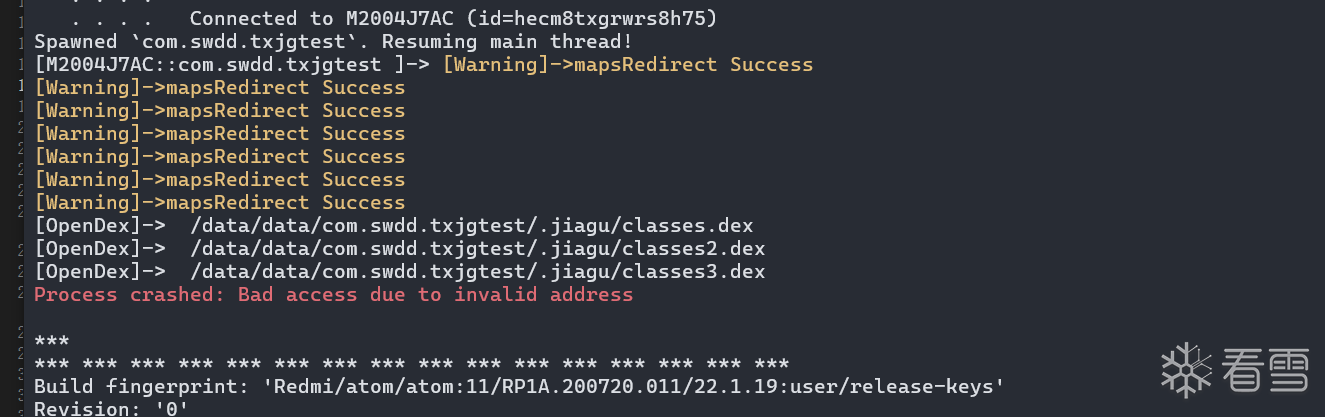
那么我们能够发现确实使用了open去打开classes,并且实锤了是通过处理maps隐藏了内存映射,接下来我们就可以通过
1 | console.log('RegisterNatives called from:\n' + Thread.backtrace(this.context, Backtracer.FUZZY).map(DebugSymbol.fromAddress).join('\n') + '\n'); |
来打印读取dex文件的Native地址。
1 2 3 4 5 6 7 8 9 10 11 12 13 14 15 16 17 18 19 20 21 22 23 24 25 26 27 28 29 30 31 32 33 34 35 36 37 38 39 40 41 42 | function hookOpen() { var FakeMaps = "/data/data/com.swdd.txjgtest/maps"; var openPtr = Module.getExportByName(null, 'open'); const open = new NativeFunction(openPtr, 'int', ['pointer', 'int']); var readPtr = Module.findExportByName("libc.so", "read"); Interceptor.replace(openPtr, new NativeCallback(function (fileNamePtr, flag) { var FD = open(fileNamePtr, flag); var fileName = fileNamePtr.readCString(); if (fileName.indexOf("maps") >= 0) { console.warn("[Warning]->mapsRedirect Success"); var filename = Memory.allocUtf8String(FakeMaps); return open(filename, flag); } if (fileName.indexOf('dex') != -1) { console.info("[OpenDex]-> ", fileName); console.log('RegisterNatives called from:\n' + Thread.backtrace(this.context, Backtracer.FUZZY).map(DebugSymbol.fromAddress).join('\n') + '\n'); } return FD; }, 'int', ['pointer', 'int']))}function hook_dlopne() { Interceptor.attach(Module.findExportByName("libdl.so", "android_dlopen_ext"), { onEnter: function (args) { var loadFileName = args[0].readCString(); // console.log("Load -> ", loadFileName); if (loadFileName.indexOf('libjiagu') != -1) { this.is_can_hook = true; } }, onLeave: function () { if (this.is_can_hook) { hookOpen(); } } })}setImmediate(hook_dlopne); |
获取到的输出如下:
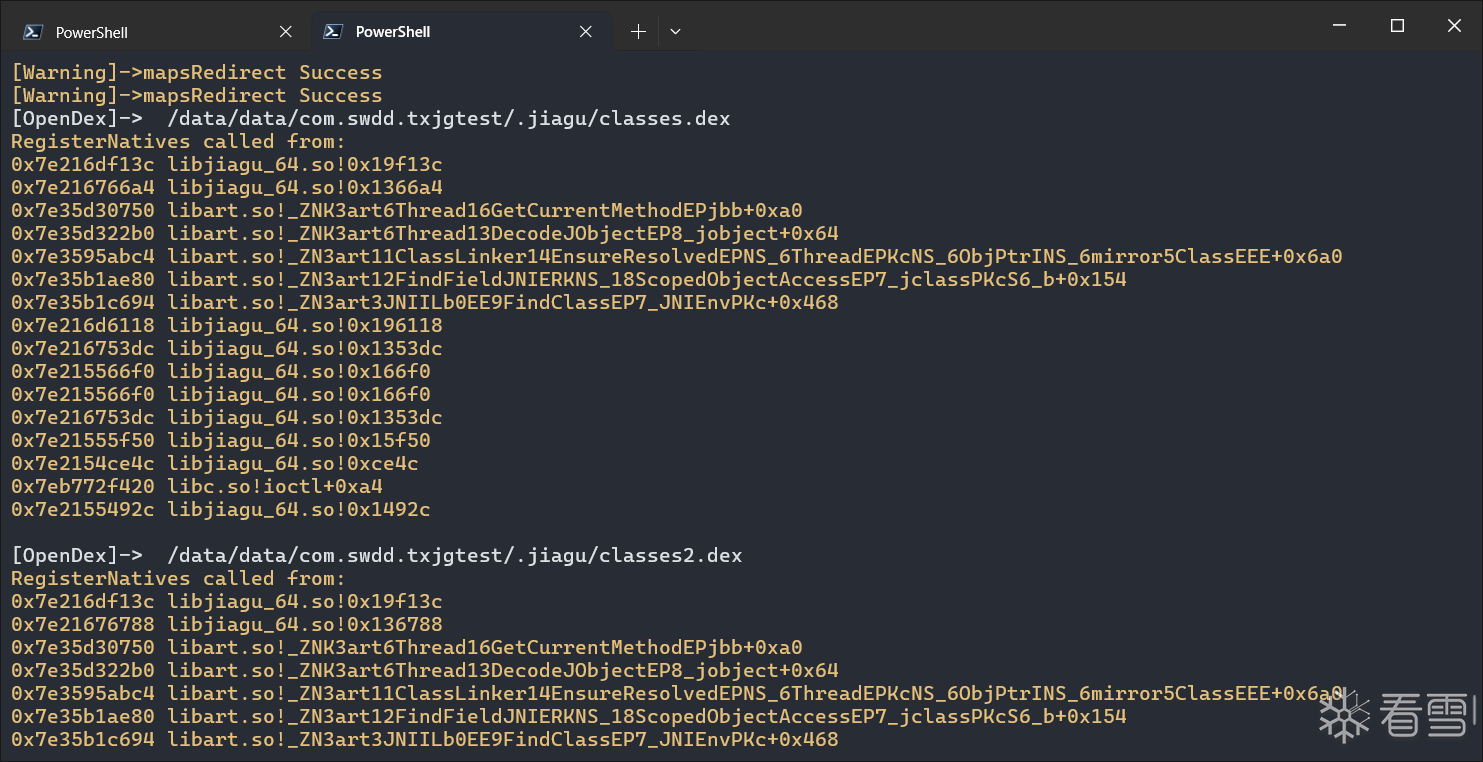
可以发现每次打开dex的调用栈基本一致,我们在IDA中查看这个地址。
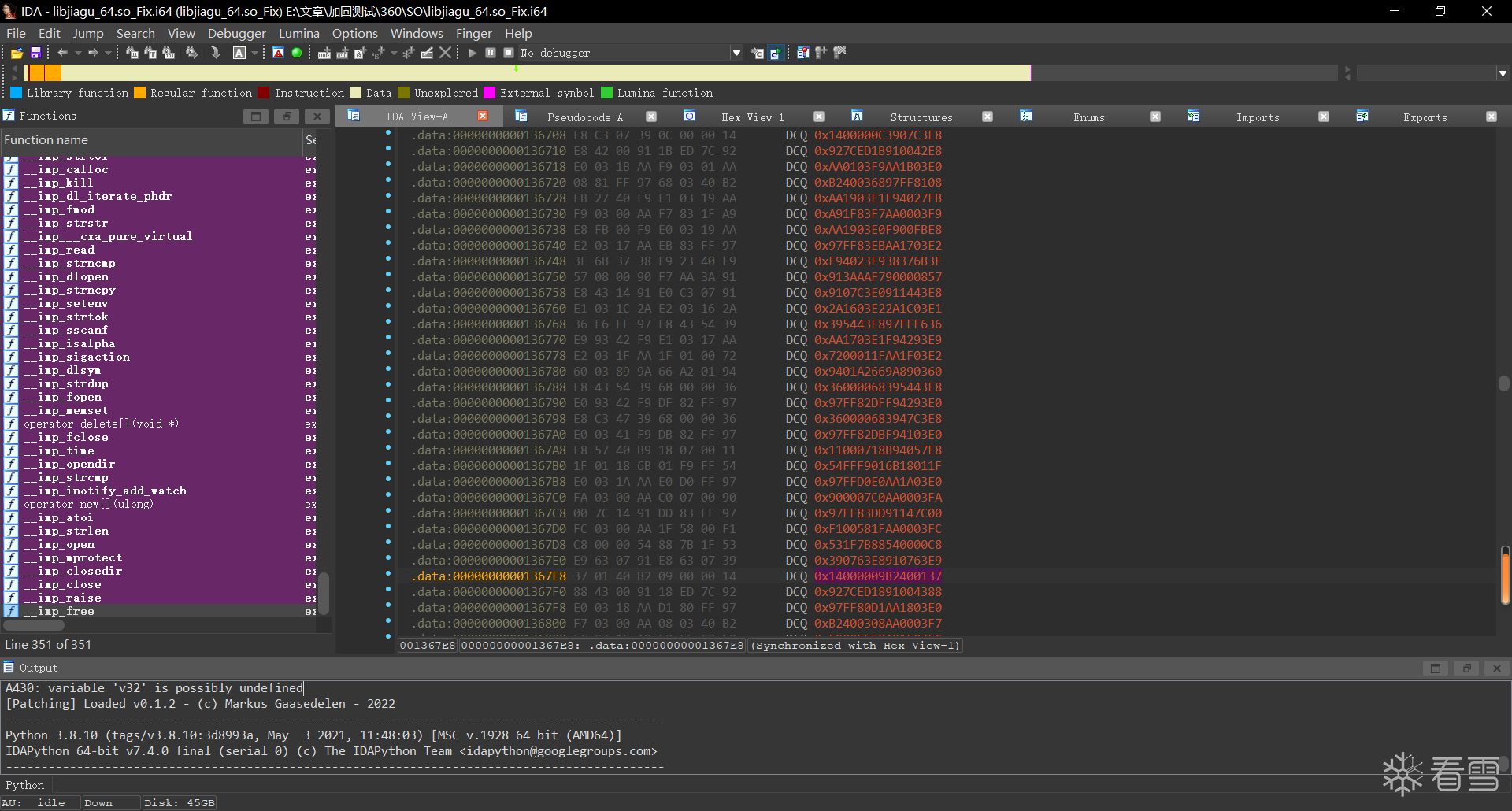
居然都未识别。
翻了一下这段数据,翻到头的时候可以发现
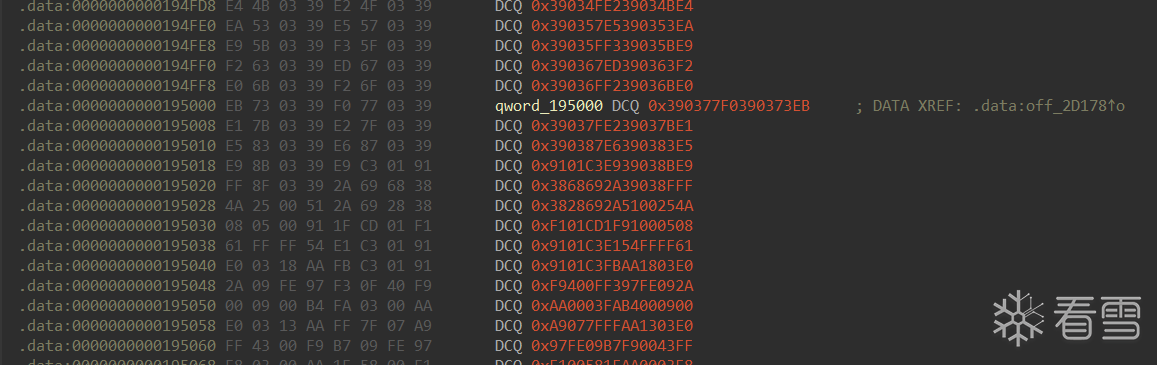
在这一段有被引用,我们跟过去看一看
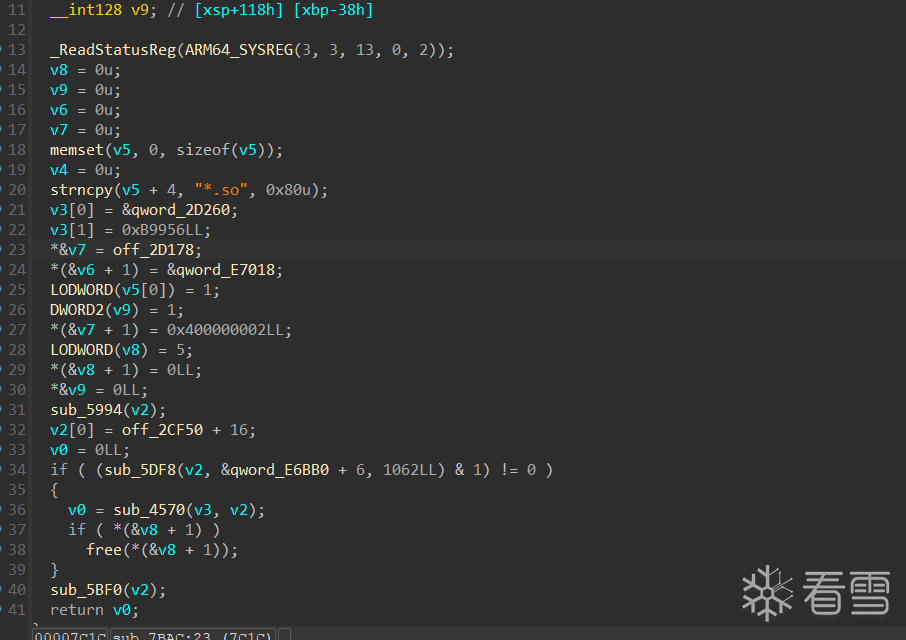
后缀被加了.so,然后分段加载了一些东西。这个时候基本可以猜测是在linker另一个so了。
主ELF解密
在自实现linker的时候,完成linker之后肯定是需要用dlopen去加载这个so的,那么我们hook一下dlopen验证一下我们的猜想。
1 2 3 4 5 6 7 8 9 10 11 12 13 14 15 16 17 18 19 20 21 | function hook_dlopne() { Interceptor.attach(Module.findExportByName("libdl.so", "android_dlopen_ext"), { onEnter: function (args) { console.warn("[android_dlopen_ext] -> ", args[0].readCString()); }, onLeave: function () { } })}function hook_dlopne2() { Interceptor.attach(Module.findExportByName("libdl.so", "dlopen"), { onEnter: function (args) { console.log("[dlopen] -> ", args[0].readCString()); }, onLeave: function () { } })}setImmediate(hook_dlopne2);setImmediate(hook_dlopne); |
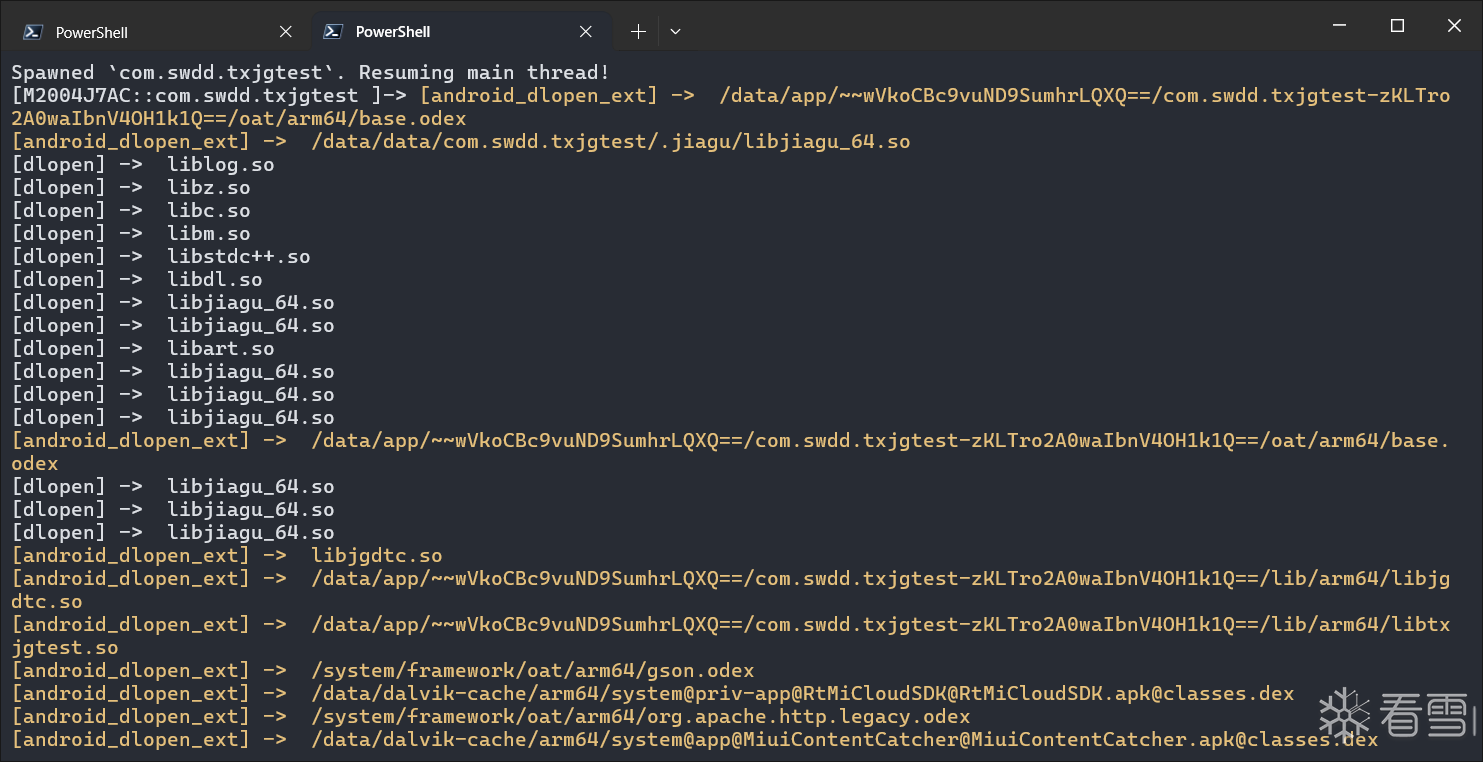
流程说明了一切,直接实锤了自定义linker加固so,那接下来我们应该如何做呢,首先需要把另一个ELF给分离出来。
自定义linker SO加固的大部分思路其实就是分离出 program header 等内容进行单独加密,然后在link的时候补充soinfo。
我们使用010在之前Fix后的so里面查找ELF
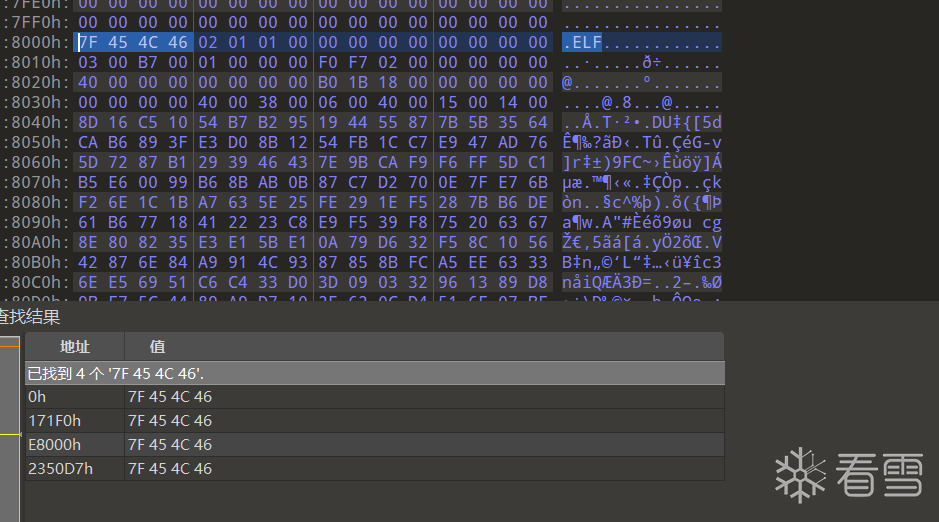
在e8000处我们发现了ELF头,我们使用python脚本将其分离出来:
1 2 3 4 | with open('libjiagu_64.so_Dump','rb') as f: s=f.read()with open('libjiagu_64.so','wb') as f: f.write(s[0xe8000::]) |
但是program header已经被加密了,那么接下来我们需要做的就是找到在哪儿解密的。
这里推荐oacia大佬的项目:https://github.com/oacia/stalker_trace_so
但是在使用大佬的项目的时候,我输出的js文件显示的内容都是乱码,所以对源码做了一些修改
改动点如下:
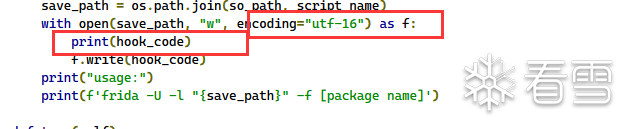
接下来利用stalker_trace_so来分析程序执行流: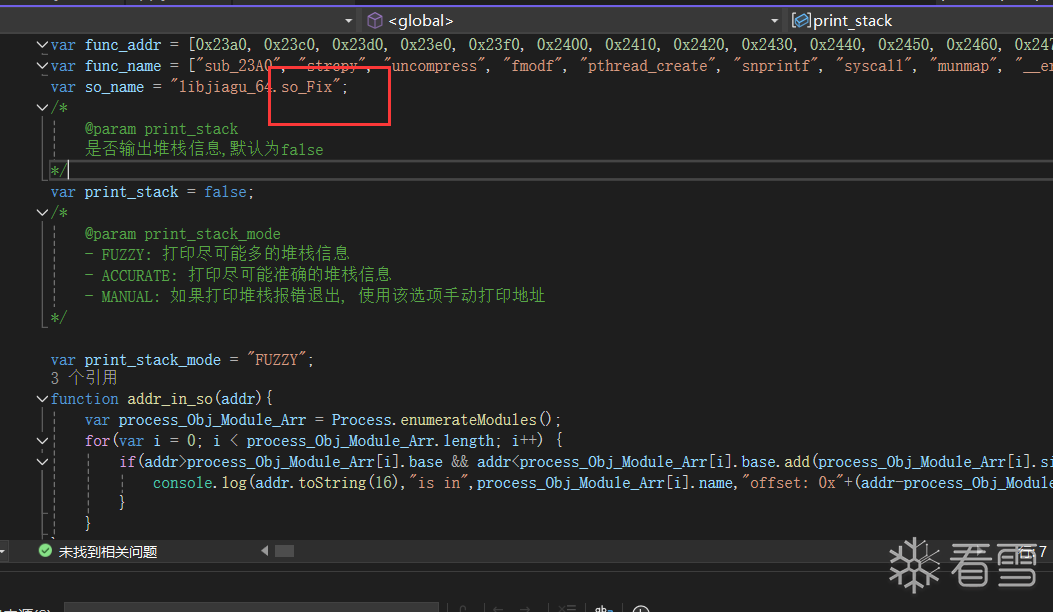
注意此处需要改为libjiagu_64.so
接下来我们拿到如下执行流:
1 2 3 4 5 6 7 8 9 10 11 12 13 14 15 16 17 18 19 20 21 22 23 24 25 26 27 28 29 30 31 32 33 34 35 36 37 38 39 40 41 42 43 44 45 46 47 48 49 50 51 52 53 54 55 56 57 58 59 60 61 62 63 64 65 66 67 68 69 70 71 72 73 74 75 76 77 78 79 80 81 82 83 84 85 86 87 88 89 90 91 92 93 94 95 96 97 98 99 100 101 | call1:JNI_OnLoadcall2:j_interpreter_wrap_int64_tcall3:interpreter_wrap_int64_tcall4:_Znwmcall5:sub_13364call6:_Znamcall7:sub_10C8Ccall8:memsetcall9:sub_9988call10:sub_DE4Ccall11:calloccall12:malloccall13:freecall14:sub_E0B4call15:_ZdaPvcall16:sub_C3B8call17:sub_C870call18:sub_9538call19:sub_9514call20:sub_C9E0call21:sub_C5A4call22:sub_9674call23:sub_15654call24:sub_15DCCcall25:sub_15E98call26:sub_159CCcall27:sub_1668Ccall28:sub_15A4Ccall29:sub_15728call30:sub_15694call31:sub_94B0call32:sub_C8C8call33:sub_CAC4call34:sub_C810call35:sub_906Ccall36:dladdrcall37:strstrcall38:setenvcall39:_Z9__arm_a_1P7_JavaVMP7_JNIEnvPvRicall40:sub_9A08call41:sub_954Ccall42:sub_103D0call43:j__ZdlPv_1call44:_ZdlPvcall45:sub_9290call46:sub_7BACcall47:strncpycall48:sub_5994call49:sub_5DF8call50:sub_4570call51:sub_59DCcall52:_ZN9__arm_c_19__arm_c_0Evcall53:sub_9F60call54:sub_957Ccall55:sub_94F4call56:sub_CC5Ccall57:sub_5D38call58:sub_5E44call59:memcpycall60:sub_5F4Ccall61:sub_583Ccall62:j__ZdlPv_3call63:j__ZdlPv_2call64:j__ZdlPv_0call65:sub_9F14call66:sub_9640call67:sub_5894call68:sub_58ECcall69:sub_9B90call70:sub_2F54call71:uncompresscall72:sub_C92Ccall73:sub_440Ccall74:sub_4BFCcall75:sub_4C74call76:sub_5304call77:sub_4E4Ccall78:sub_5008call79:mprotectcall80:strlencall81:sub_3674call82:dlopencall83:sub_4340call84:sub_3A28call85:sub_3BDCcall86:sub_2F8Ccall87:dlsymcall88:strcmpcall89:sub_5668call90:sub_4C40call91:sub_5BF0call92:sub_7CDCcall93:sub_468Ccall94:sub_7E08call95:sub_86FCcall96:sub_8A84call97:sub_7FDCcall98:interpreter_wrap_int64_t_bridgecall99:sub_9910call100:sub_15944call101:puts |
现在我们知道了控制流,然而还不够,因为自定义linker加固so,最后还是需要dlopen去手动加载的,那么我们对导入表中的dlopen进行交叉。
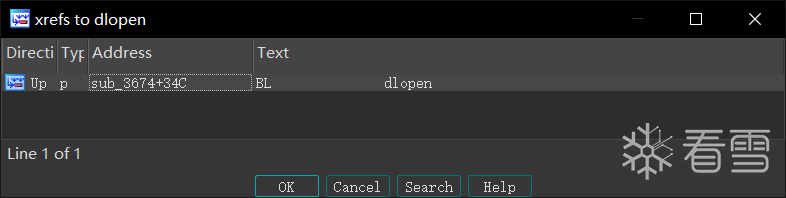
发现只有一次掉用,我们跟踪过去看一看。
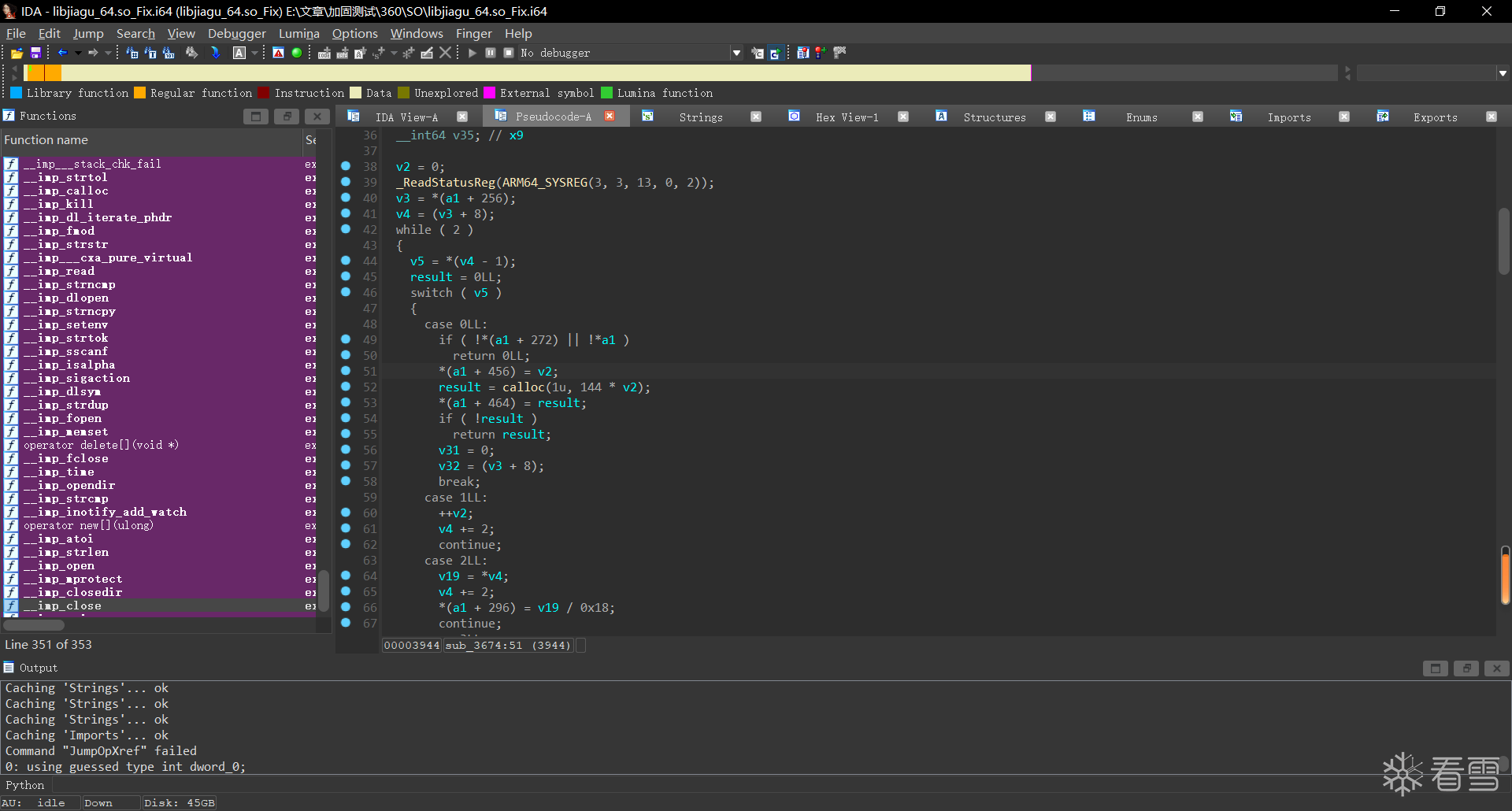
全是Switch case:
http://androidxref.com/9.0.0_r3/xref/bionic/linker/linker.cpp
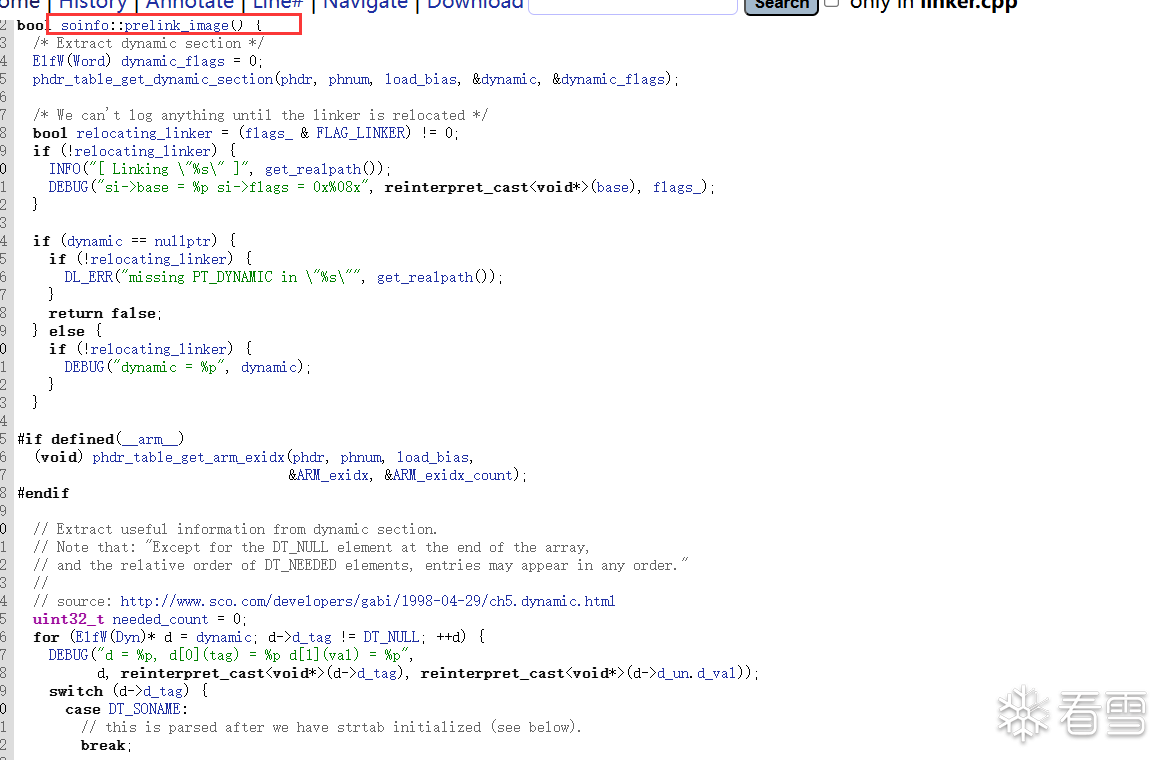
可以看看linker源码中的预链接部分,代码如出一折,那么此时我们就可以导入soinfo结构体了
在 ida 中依次点击 View->Open subviews->Local Types ,导入结构体(点击insert)
1 2 3 4 5 6 7 8 9 10 11 12 13 14 15 16 17 18 19 20 21 22 23 24 25 26 27 28 29 30 31 32 33 34 35 36 37 38 39 40 41 42 43 44 45 46 47 48 49 50 51 52 53 54 55 56 57 58 59 60 61 62 63 64 65 66 67 68 69 70 71 72 73 74 75 76 77 78 79 80 81 82 83 84 85 86 87 88 89 90 91 92 93 94 95 96 97 98 99 100 101 102 103 104 105 106 107 108 109 110 111 112 113 114 115 116 117 118 119 120 121 122 123 124 125 126 127 128 129 130 131 132 133 134 135 136 137 138 139 140 141 142 143 144 145 146 147 148 149 150 151 152 153 154 155 156 157 158 159 160 161 162 163 164 165 166 167 168 169 170 171 172 173 174 175 176 177 178 179 180 181 182 183 184 185 186 187 188 189 190 191 192 193 194 195 196 197 198 199 200 201 202 203 204 205 206 207 208 209 210 211 212 213 214 215 216 217 218 219 220 221 222 223 224 225 226 227 228 229 230 231 232 233 234 235 236 237 238 239 240 241 242 243 244 245 246 247 248 249 250 251 252 253 254 255 256 257 258 259 260 261 262 263 264 265 266 267 268 269 270 271 272 273 274 275 276 277 278 279 280 281 282 283 284 285 286 287 288 289 290 291 292 293 294 295 296 297 298 | //IMPORTANT//ELF64 启用该宏#define __LP64__ 1//ELF32 启用该宏//#define __work_around_b_24465209__ 1/*//https://android.googlesource.com/platform/bionic/+/master/linker/Android.bp架构为 32 位 定义__work_around_b_24465209__宏arch: { arm: {cflags: ["-D__work_around_b_24465209__"],}, x86: {cflags: ["-D__work_around_b_24465209__"],}, }*///android-platform\bionic\libc\include\link.h#if defined(__LP64__)#define ElfW(type) Elf64_ ## type#else#define ElfW(type) Elf32_ ## type#endif//android-platform\bionic\linker\linker_common_types.h// Android uses RELA for LP64.#if defined(__LP64__)#define USE_RELA 1#endif//android-platform\bionic\libc\kernel\uapi\asm-generic\int-ll64.h//__signed__-->signedtypedef signed char __s8;typedef unsigned char __u8;typedef signed short __s16;typedef unsigned short __u16;typedef signed int __s32;typedef unsigned int __u32;typedef signed long long __s64;typedef unsigned long long __u64;//A12-src\msm-google\include\uapi\linux\elf.h/* 32-bit ELF base types. */typedef __u32 Elf32_Addr;typedef __u16 Elf32_Half;typedef __u32 Elf32_Off;typedef __s32 Elf32_Sword;typedef __u32 Elf32_Word;/* 64-bit ELF base types. */typedef __u64 Elf64_Addr;typedef __u16 Elf64_Half;typedef __s16 Elf64_SHalf;typedef __u64 Elf64_Off;typedef __s32 Elf64_Sword;typedef __u32 Elf64_Word;typedef __u64 Elf64_Xword;typedef __s64 Elf64_Sxword;typedef struct dynamic{ Elf32_Sword d_tag; union{ Elf32_Sword d_val; Elf32_Addr d_ptr; } d_un;} Elf32_Dyn;typedef struct { Elf64_Sxword d_tag; /* entry tag value */ union { Elf64_Xword d_val; Elf64_Addr d_ptr; } d_un;} Elf64_Dyn;typedef struct elf32_rel { Elf32_Addr r_offset; Elf32_Word r_info;} Elf32_Rel;typedef struct elf64_rel { Elf64_Addr r_offset; /* Location at which to apply the action */ Elf64_Xword r_info; /* index and type of relocation */} Elf64_Rel;typedef struct elf32_rela{ Elf32_Addr r_offset; Elf32_Word r_info; Elf32_Sword r_addend;} Elf32_Rela;typedef struct elf64_rela { Elf64_Addr r_offset; /* Location at which to apply the action */ Elf64_Xword r_info; /* index and type of relocation */ Elf64_Sxword r_addend; /* Constant addend used to compute value */} Elf64_Rela;typedef struct elf32_sym{ Elf32_Word st_name; Elf32_Addr st_value; Elf32_Word st_size; unsigned char st_info; unsigned char st_other; Elf32_Half st_shndx;} Elf32_Sym;typedef struct elf64_sym { Elf64_Word st_name; /* Symbol name, index in string tbl */ unsigned char st_info; /* Type and binding attributes */ unsigned char st_other; /* No defined meaning, 0 */ Elf64_Half st_shndx; /* Associated section index */ Elf64_Addr st_value; /* Value of the symbol */ Elf64_Xword st_size; /* Associated symbol size */} Elf64_Sym;#define EI_NIDENT 16typedef struct elf32_hdr{ unsigned char e_ident[EI_NIDENT]; Elf32_Half e_type; Elf32_Half e_machine; Elf32_Word e_version; Elf32_Addr e_entry; /* Entry point */ Elf32_Off e_phoff; Elf32_Off e_shoff; Elf32_Word e_flags; Elf32_Half e_ehsize; Elf32_Half e_phentsize; Elf32_Half e_phnum; Elf32_Half e_shentsize; Elf32_Half e_shnum; Elf32_Half e_shstrndx;} Elf32_Ehdr;typedef struct elf64_hdr { unsigned char e_ident[EI_NIDENT]; /* ELF "magic number" */ Elf64_Half e_type; Elf64_Half e_machine; Elf64_Word e_version; Elf64_Addr e_entry; /* Entry point virtual address */ Elf64_Off e_phoff; /* Program header table file offset */ Elf64_Off e_shoff; /* Section header table file offset */ Elf64_Word e_flags; Elf64_Half e_ehsize; Elf64_Half e_phentsize; Elf64_Half e_phnum; Elf64_Half e_shentsize; Elf64_Half e_shnum; Elf64_Half e_shstrndx;} Elf64_Ehdr;/* These constants define the permissions on sections in the program header, p_flags. */#define PF_R 0x4#define PF_W 0x2#define PF_X 0x1typedef struct elf32_phdr{ Elf32_Word p_type; Elf32_Off p_offset; Elf32_Addr p_vaddr; Elf32_Addr p_paddr; Elf32_Word p_filesz; Elf32_Word p_memsz; Elf32_Word p_flags; Elf32_Word p_align;} Elf32_Phdr;typedef struct elf64_phdr { Elf64_Word p_type; Elf64_Word p_flags; Elf64_Off p_offset; /* Segment file offset */ Elf64_Addr p_vaddr; /* Segment virtual address */ Elf64_Addr p_paddr; /* Segment physical address */ Elf64_Xword p_filesz; /* Segment size in file */ Elf64_Xword p_memsz; /* Segment size in memory */ Elf64_Xword p_align; /* Segment alignment, file & memory */} Elf64_Phdr;typedef struct elf32_shdr { Elf32_Word sh_name; Elf32_Word sh_type; Elf32_Word sh_flags; Elf32_Addr sh_addr; Elf32_Off sh_offset; Elf32_Word sh_size; Elf32_Word sh_link; Elf32_Word sh_info; Elf32_Word sh_addralign; Elf32_Word sh_entsize;} Elf32_Shdr;typedef struct elf64_shdr { Elf64_Word sh_name; /* Section name, index in string tbl */ Elf64_Word sh_type; /* Type of section */ Elf64_Xword sh_flags; /* Miscellaneous section attributes */ Elf64_Addr sh_addr; /* Section virtual addr at execution */ Elf64_Off sh_offset; /* Section file offset */ Elf64_Xword sh_size; /* Size of section in bytes */ Elf64_Word sh_link; /* Index of another section */ Elf64_Word sh_info; /* Additional section information */ Elf64_Xword sh_addralign; /* Section alignment */ Elf64_Xword sh_entsize; /* Entry size if section holds table */} Elf64_Shdr;//android-platform\bionic\linker\linker_soinfo.htypedef void (*linker_dtor_function_t)();typedef void (*linker_ctor_function_t)(int, char**, char**);#if defined(__work_around_b_24465209__)#define SOINFO_NAME_LEN 128#endifstruct soinfo {#if defined(__work_around_b_24465209__) char old_name_[SOINFO_NAME_LEN];#endif const ElfW(Phdr)* phdr; size_t phnum;#if defined(__work_around_b_24465209__) ElfW(Addr) unused0; // DO NOT USE, maintained for compatibility.#endif ElfW(Addr) base; size_t size;#if defined(__work_around_b_24465209__) uint32_t unused1; // DO NOT USE, maintained for compatibility.#endif ElfW(Dyn)* dynamic;#if defined(__work_around_b_24465209__) uint32_t unused2; // DO NOT USE, maintained for compatibility uint32_t unused3; // DO NOT USE, maintained for compatibility#endif soinfo* next; uint32_t flags_; const char* strtab_; ElfW(Sym)* symtab_; size_t nbucket_; size_t nchain_; uint32_t* bucket_; uint32_t* chain_;#if !defined(__LP64__) ElfW(Addr)** unused4; // DO NOT USE, maintained for compatibility#endif#if defined(USE_RELA) ElfW(Rela)* plt_rela_; size_t plt_rela_count_; ElfW(Rela)* rela_; size_t rela_count_;#else ElfW(Rel)* plt_rel_; size_t plt_rel_count_; ElfW(Rel)* rel_; size_t rel_count_;#endif linker_ctor_function_t* preinit_array_; size_t preinit_array_count_; linker_ctor_function_t* init_array_; size_t init_array_count_; linker_dtor_function_t* fini_array_; size_t fini_array_count_; linker_ctor_function_t init_func_; linker_dtor_function_t fini_func_;/*#if defined (__arm__) // ARM EABI section used for stack unwinding. uint32_t* ARM_exidx; size_t ARM_exidx_count;#endif size_t ref_count_;// 怎么找不 link_map 这个类型的声明... link_map link_map_head; bool constructors_called; // When you read a virtual address from the ELF file, add this //value to get the corresponding address in the process' address space. ElfW (Addr) load_bias;#if !defined (__LP64__) bool has_text_relocations;#endif bool has_DT_SYMBOLIC;*/}; |
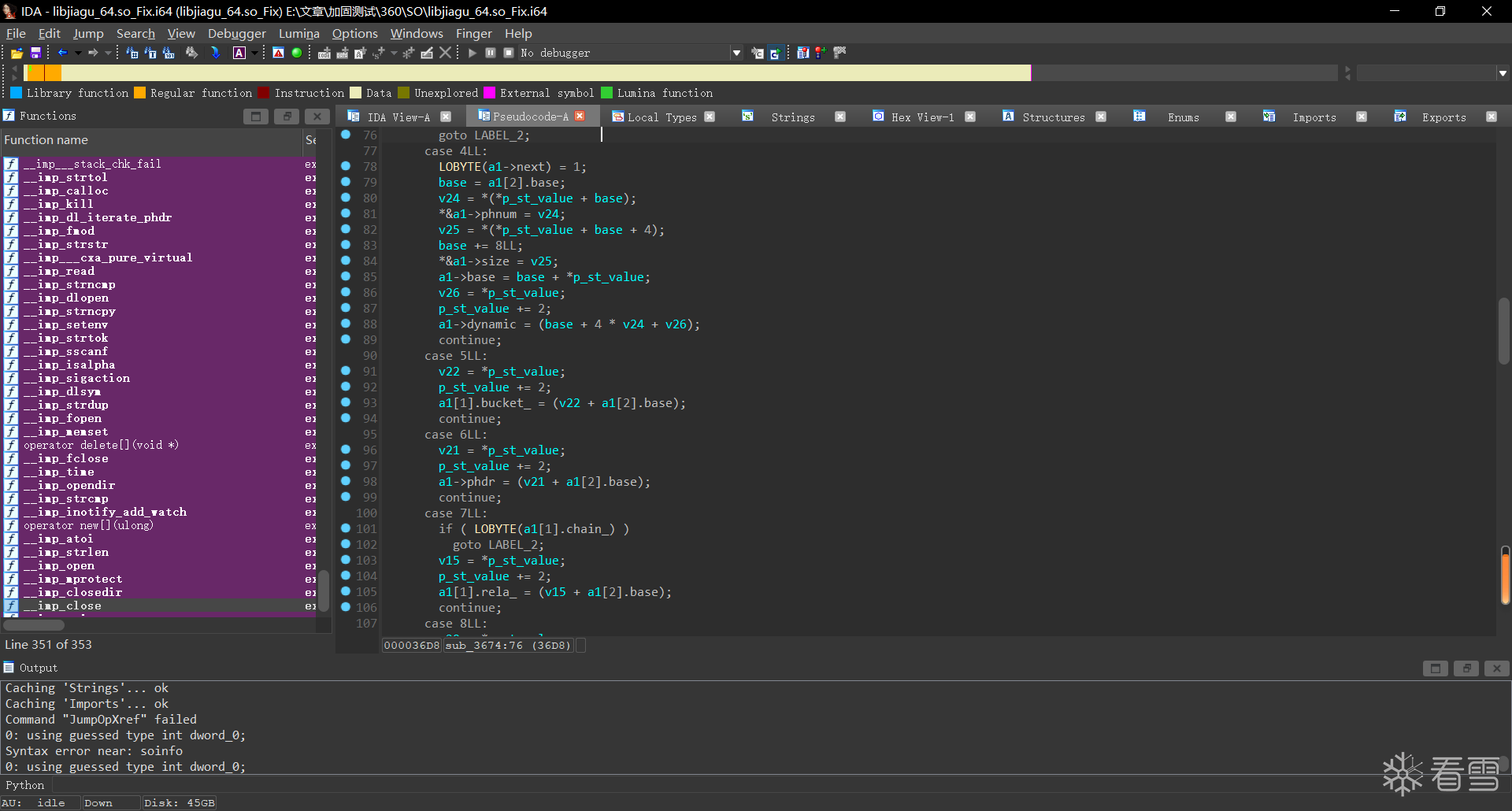
可以发现还是不完全,证明这个soinfo是被魔改过的
对其交叉,向上查看:
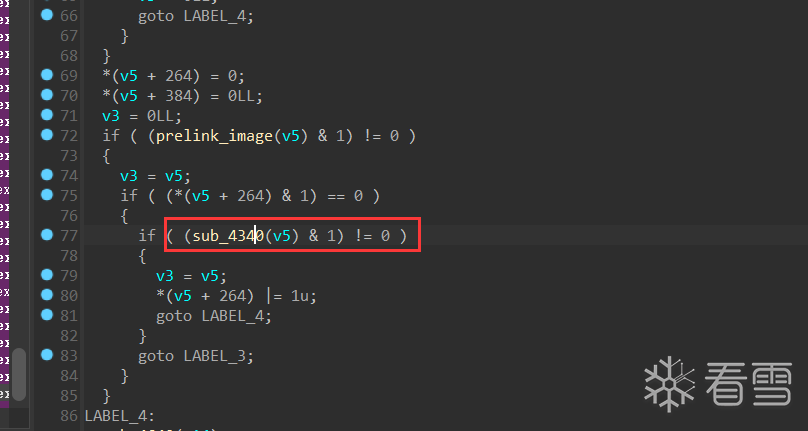
下方还调用了一个函数,我们进去看看。
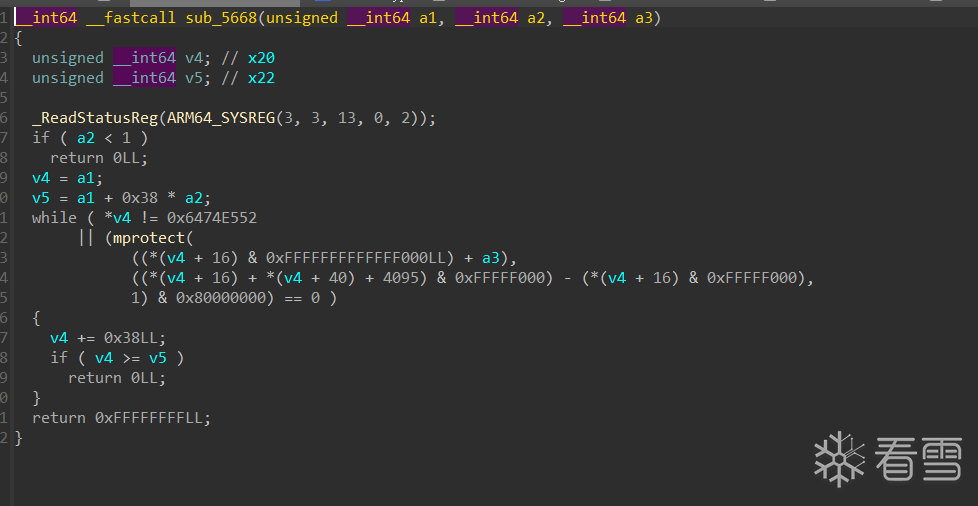
发现这里的步长是0x38

好巧不巧,程序头就是0x38大小,那么这个方法肯定是在加载程序头了。
既然需要加载程序头,那么他肯定是需要解密之前被加密的程序头段的
加载在sub_5668调用于sub_4340又调用于sub_440C最后形成闭环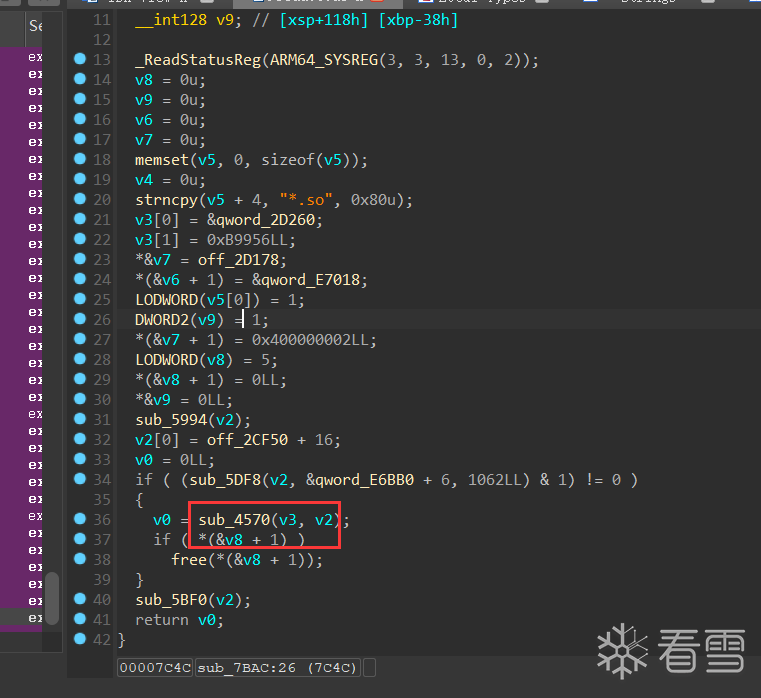
那我们只需要找sub_7BAC到sub_440C之间调用的函数就可以了。
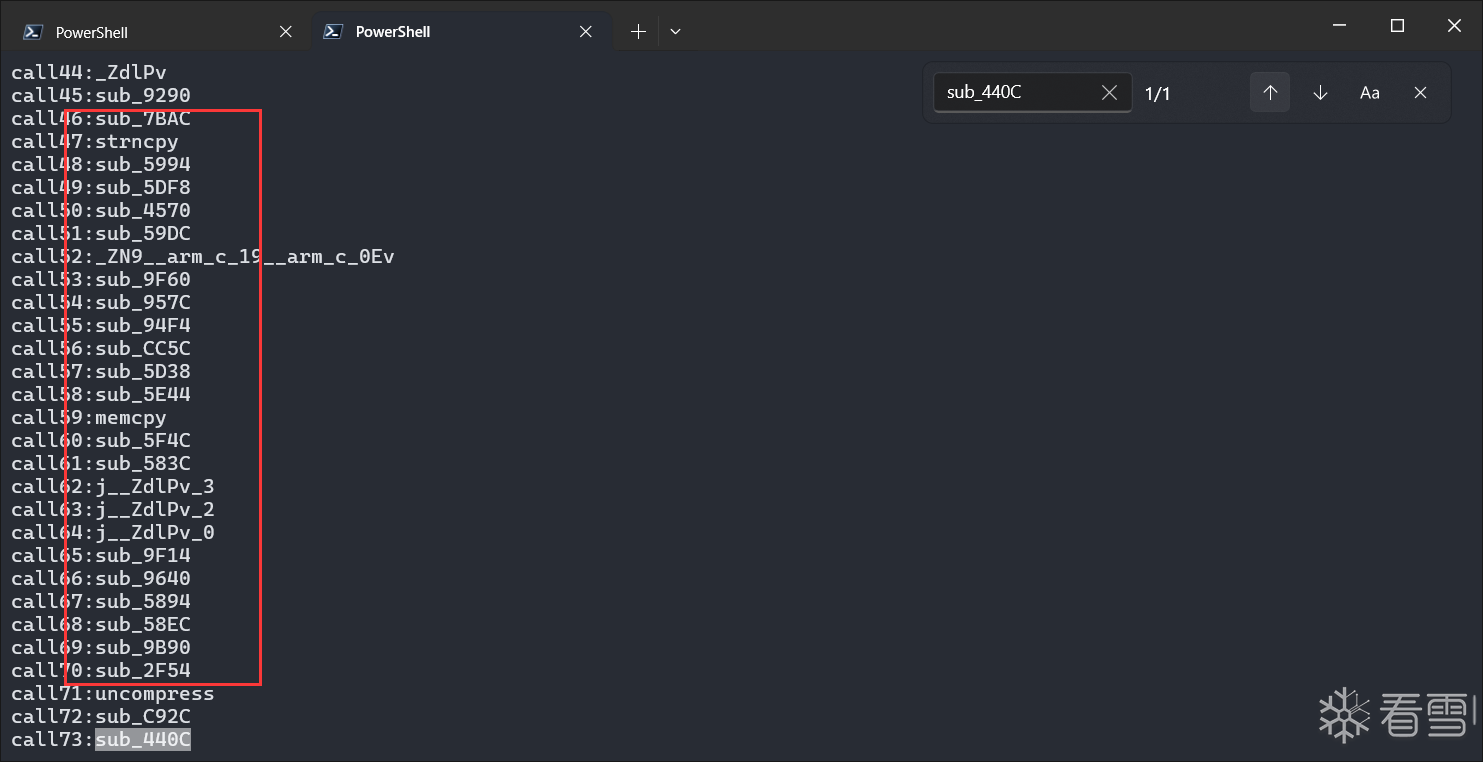
这个uncompress就及其可疑了,这是个解压缩的方法,我们稍微向上找找:
就能发现我们的老熟人了
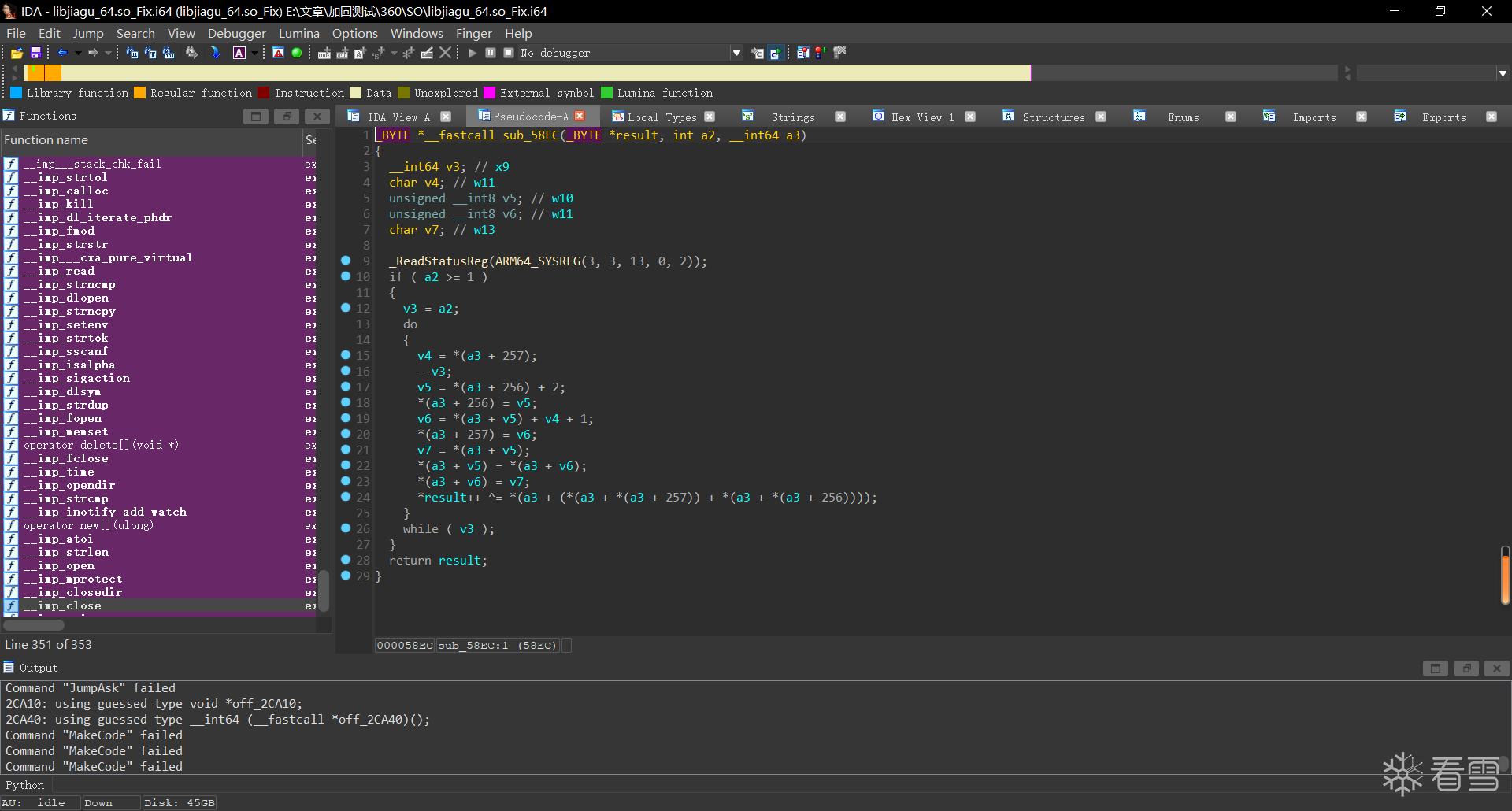
妥妥一RC4,但是找不到他的初始化算法,虽然就算没有初始化算法,我们也可以通过dump他的S盒,来解密,但是总感觉怪怪的,一筹莫展之际,我们向上交叉发现了loc_571c
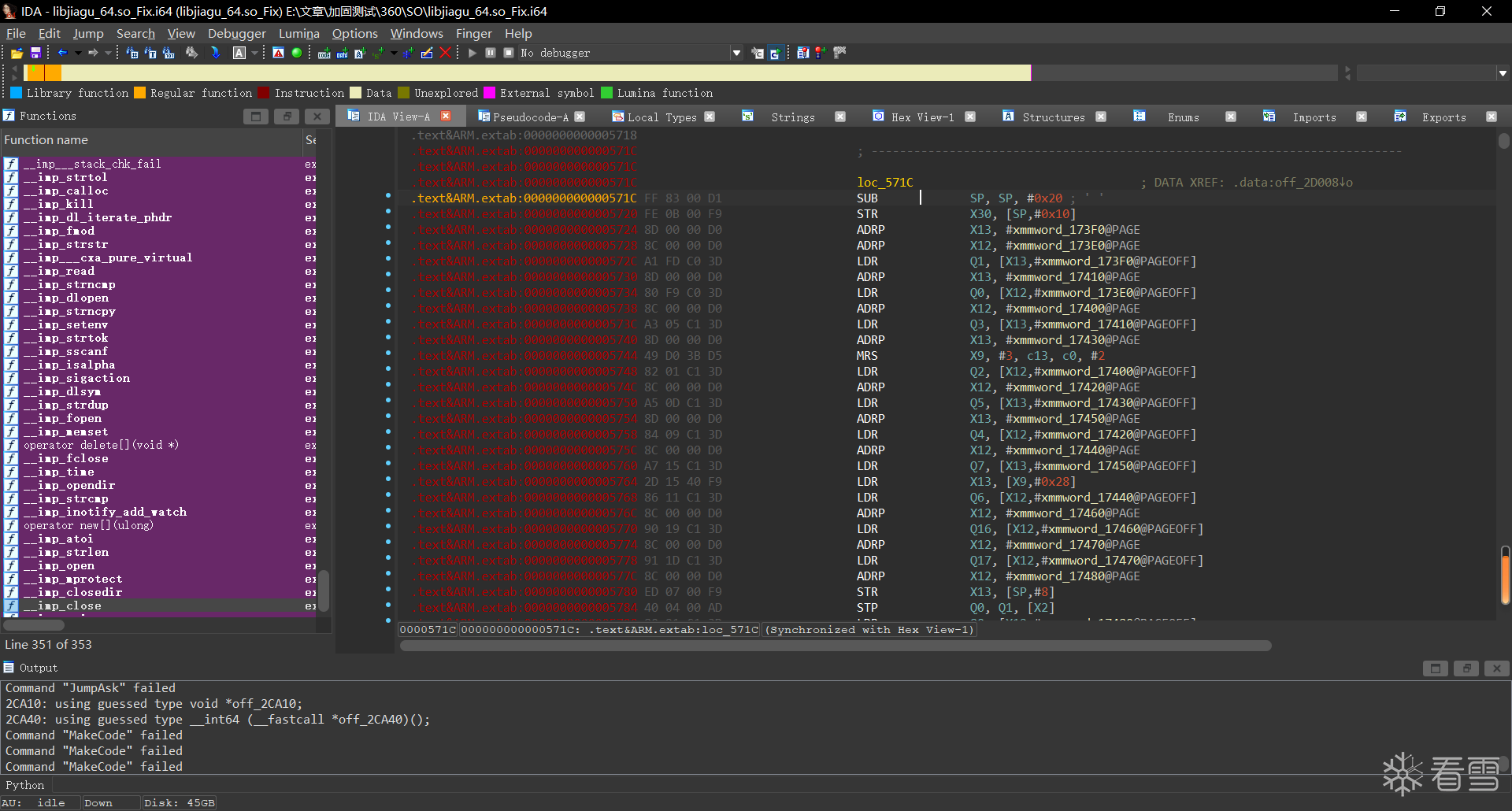
未识别居然,我们识别看看
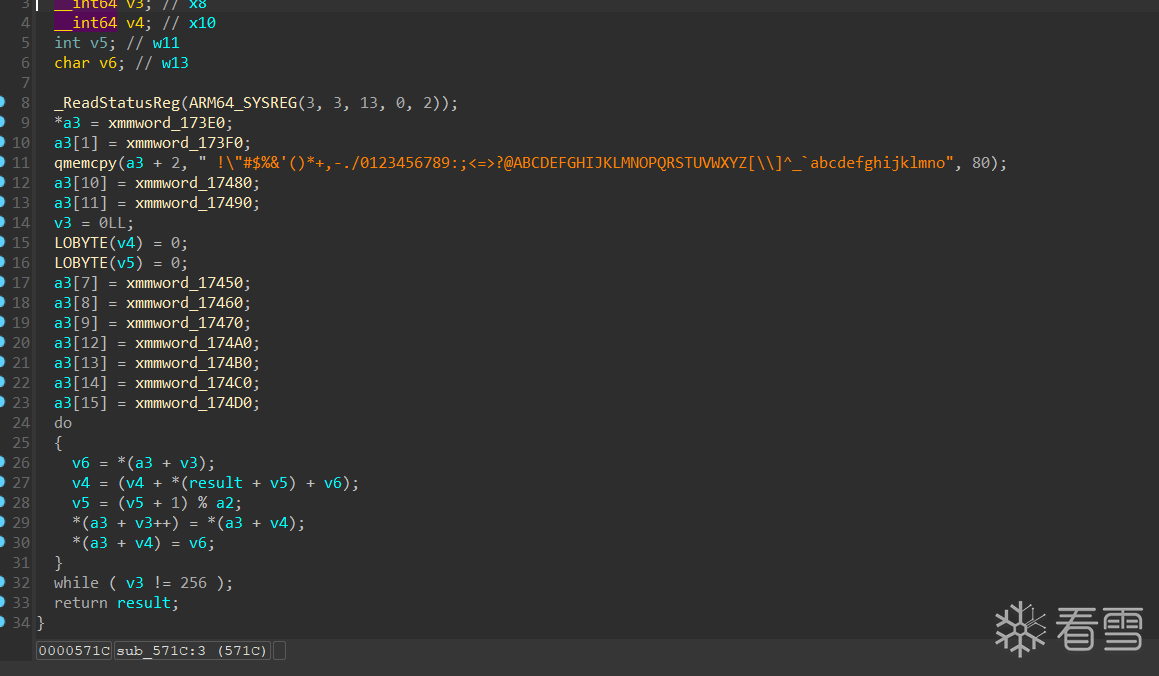
哟,这不是初始化算法么。
我们hook他看看密钥
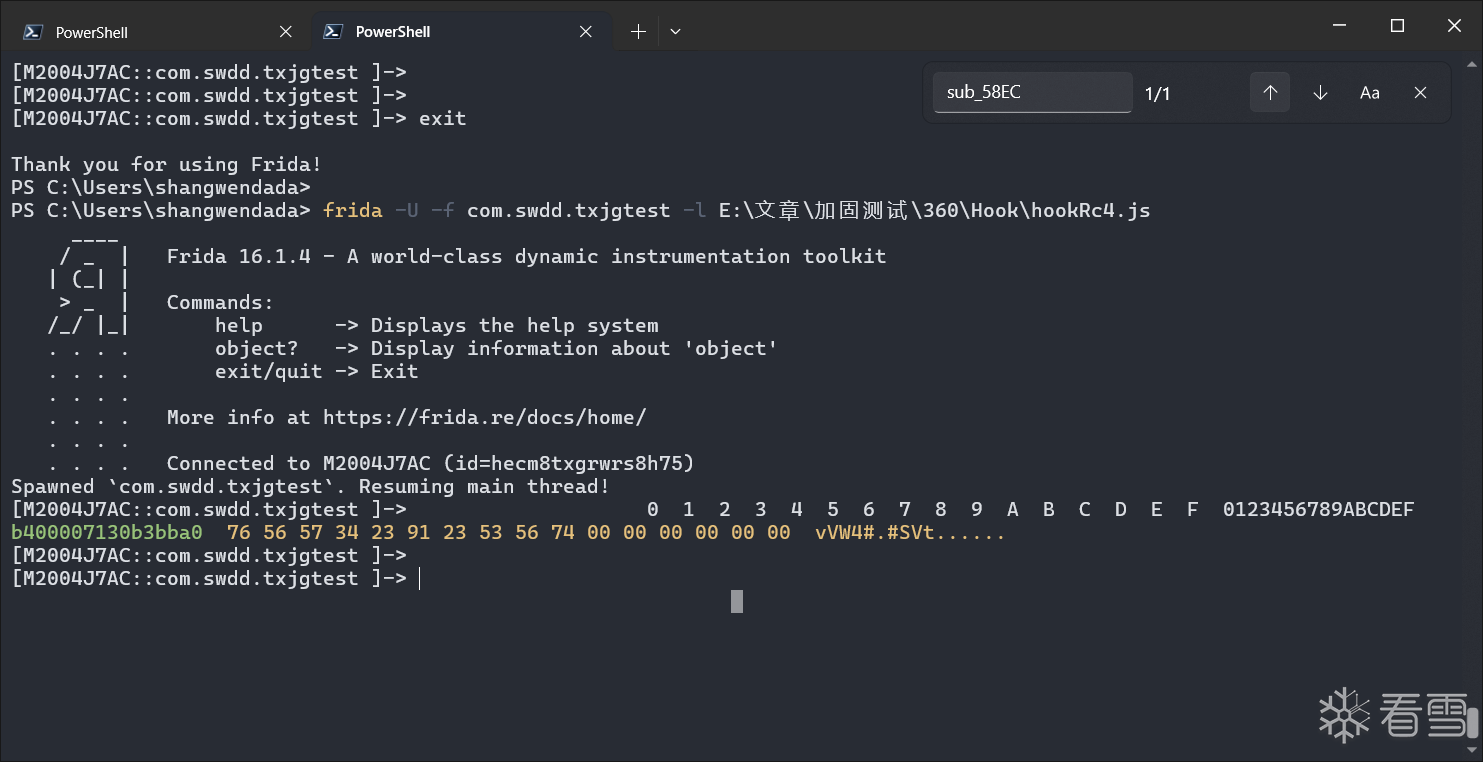
1 2 3 4 5 6 7 8 9 10 11 12 13 14 15 16 17 18 19 20 21 22 23 24 25 26 27 28 29 30 31 32 33 34 | function hook_Rc4() { var module = Process.findModuleByName("libjiagu_64.so"); Interceptor.attach(module.base.add(0x571C), { onEnter(args) { console.log(hexdump(args[0], { offset: 0, length: 0x10, header: true, ansi: true })) }, onLeave(reval) { } });}function hook_dlopne() { Interceptor.attach(Module.findExportByName("libdl.so", "android_dlopen_ext"), { onEnter: function (args) { var loadFileName = args[0].readCString(); // console.log("Load -> ", loadFileName); if (loadFileName.indexOf('libjiagu') != -1) { this.is_can_hook = true; } }, onLeave: function () { if (this.is_can_hook) { hook_Rc4(); } } })}setImmediate(hook_dlopne); |
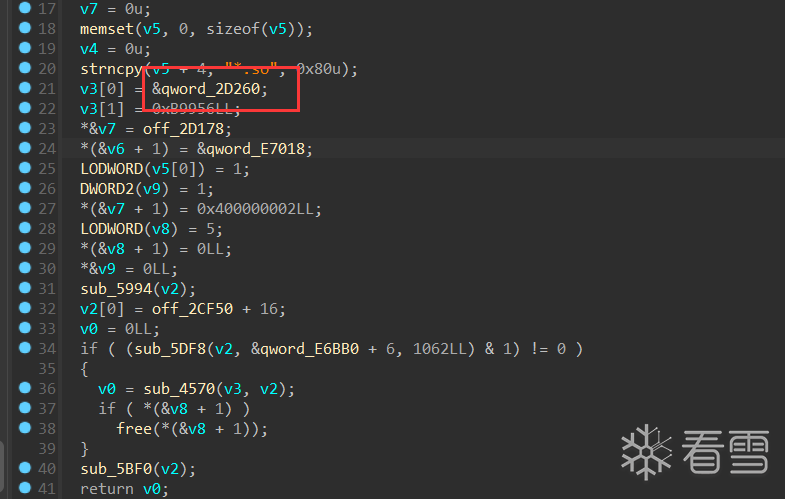
在最开始找到的这个函数中,我们可以看到加载的地址和文件大小,那么我们直接使用python读取这个大小的段进行解密
最开始写一个python脚本解密的时候我们出现了如下问题
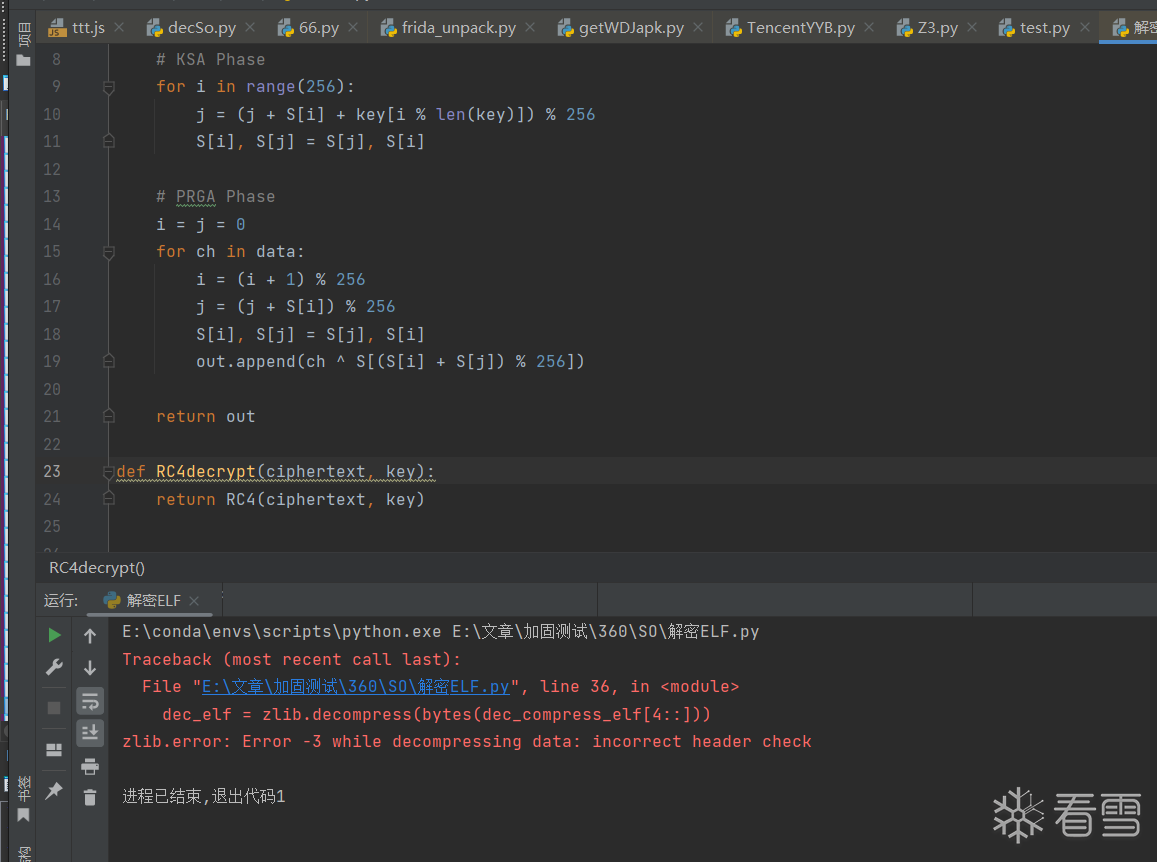
显然RC4解密出问题了,我们再回去看看rc4加密部分
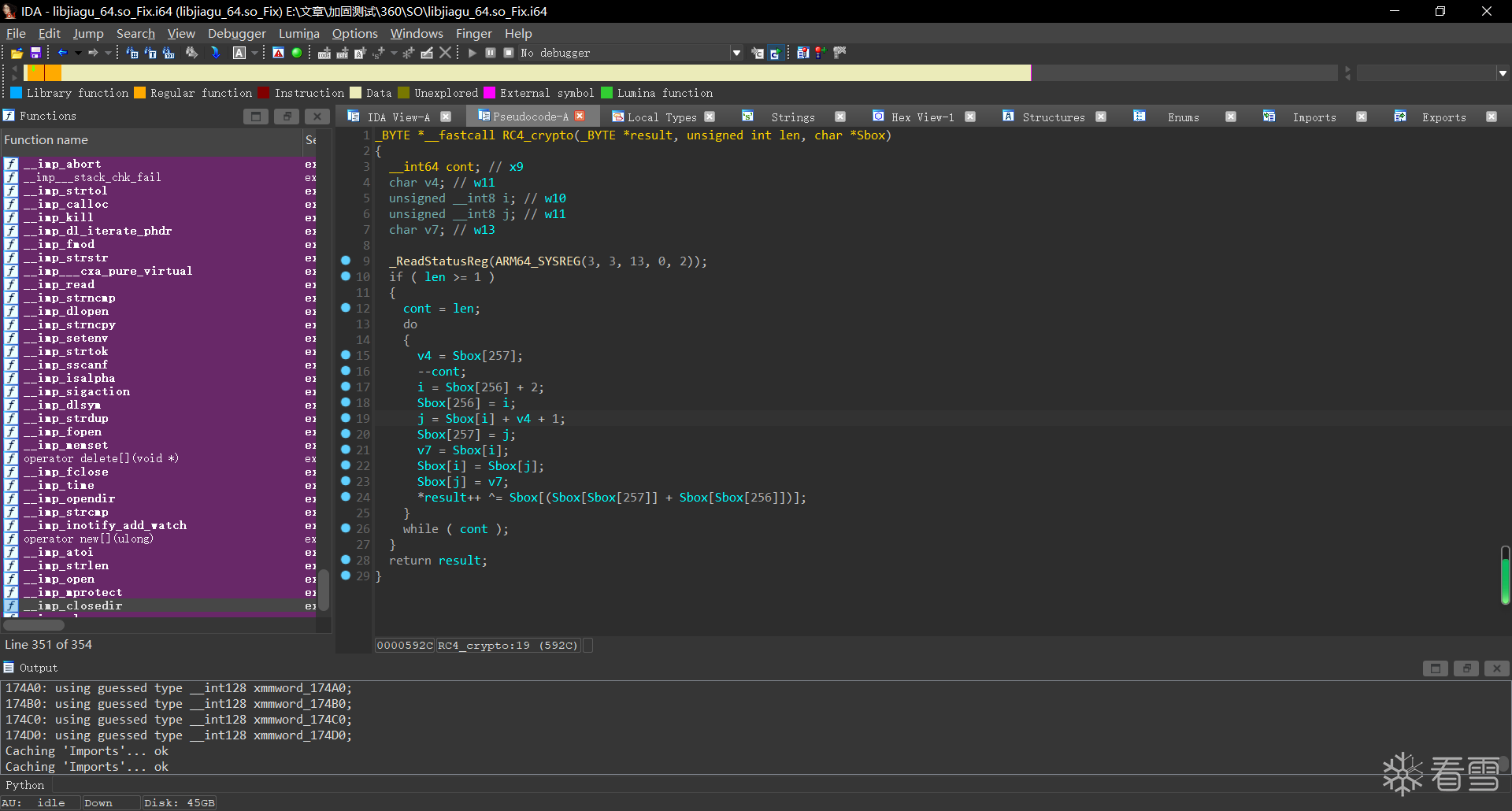
对着其一顿还原,发现居然有魔改
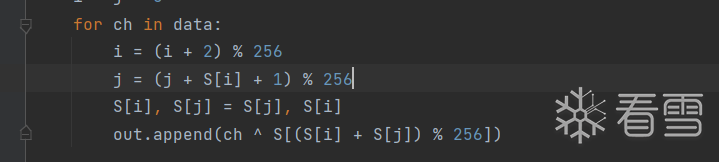
但是解密出来依旧不对,我们看看S盒是否一致
1 2 3 4 5 6 7 8 9 10 11 12 13 14 15 16 17 18 19 20 21 22 23 24 25 26 27 28 29 30 31 32 33 34 35 36 37 38 39 40 41 42 43 44 45 46 47 48 | function hook_Rc4_init() { var module = Process.findModuleByName("libjiagu_64.so"); Interceptor.attach(module.base.add(0x58EC), { onEnter(args) { console.log(hexdump(args[2], { offset: 0, length: 0x100, header: true, ansi: true })) }, onLeave(reval) { } });}function hook_Rc4_cry() { var module = Process.findModuleByName("libjiagu_64.so"); Interceptor.attach(module.base.add(0x571C), { onEnter(args) { console.log(hexdump(args[0], { offset: 0, length: 0x10, header: true, ansi: true })) }, onLeave(reval) { } });}function hook_dlopne() { Interceptor.attach(Module.findExportByName("libdl.so", "android_dlopen_ext"), { onEnter: function (args) { var loadFileName = args[0].readCString(); // console.log("Load -> ", loadFileName); if (loadFileName.indexOf('libjiagu') != -1) { this.is_can_hook = true; } }, onLeave: function () { if (this.is_can_hook) { hook_Rc4_init(); hook_Rc4_cry(); } } })}setImmediate(hook_dlopne); |
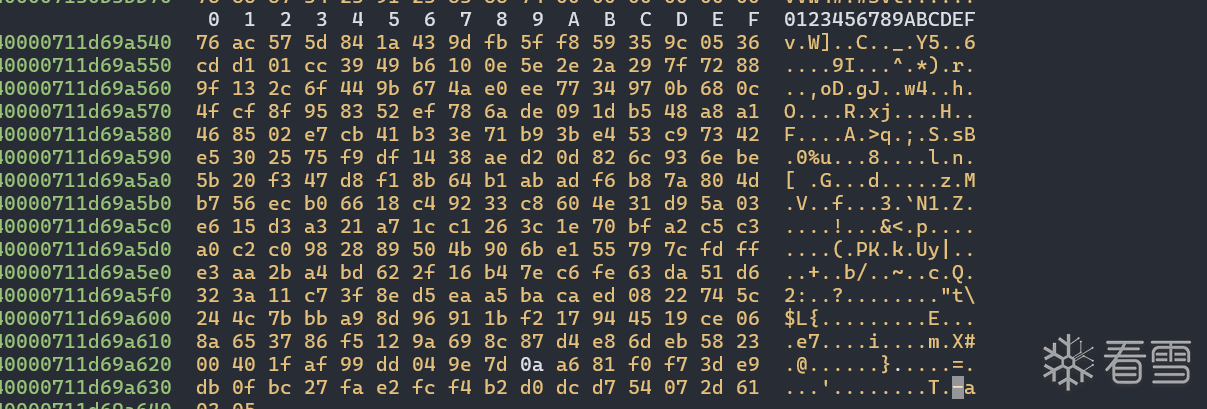

显然Sbox是不一致的,那么反正有了Sbox,我们就不需要再去管init方法了,直接使用现成的Sbox就可以了。
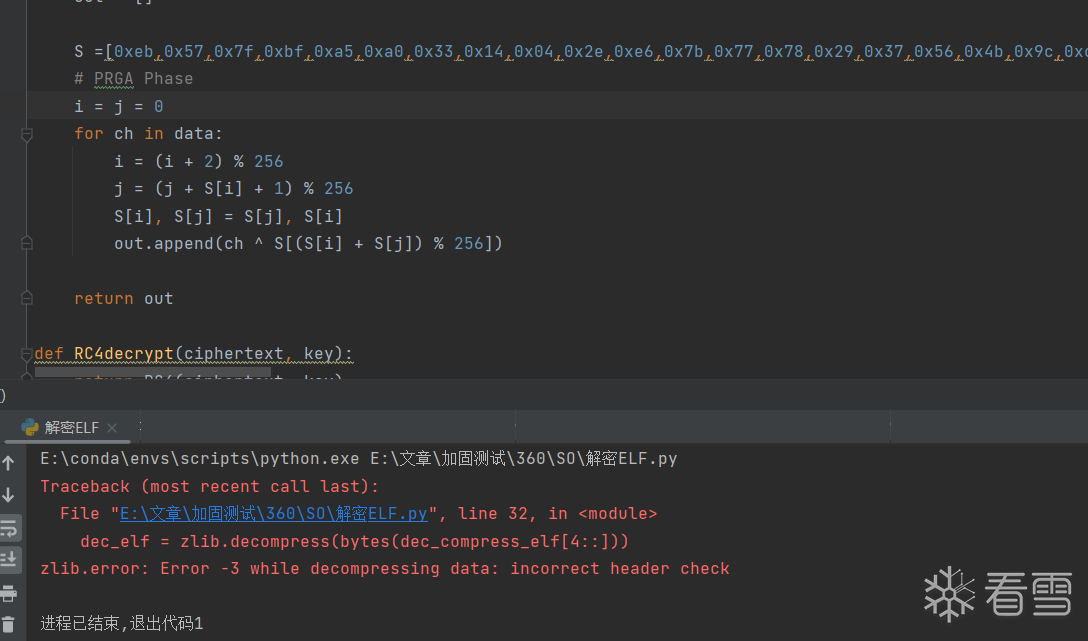
还是没能解出来,有点难受了,还有一个细节就是i , j 来自于Sbox的第257和258位,他们会不会不是0呢?我们多dump两个看看
果然不是0!
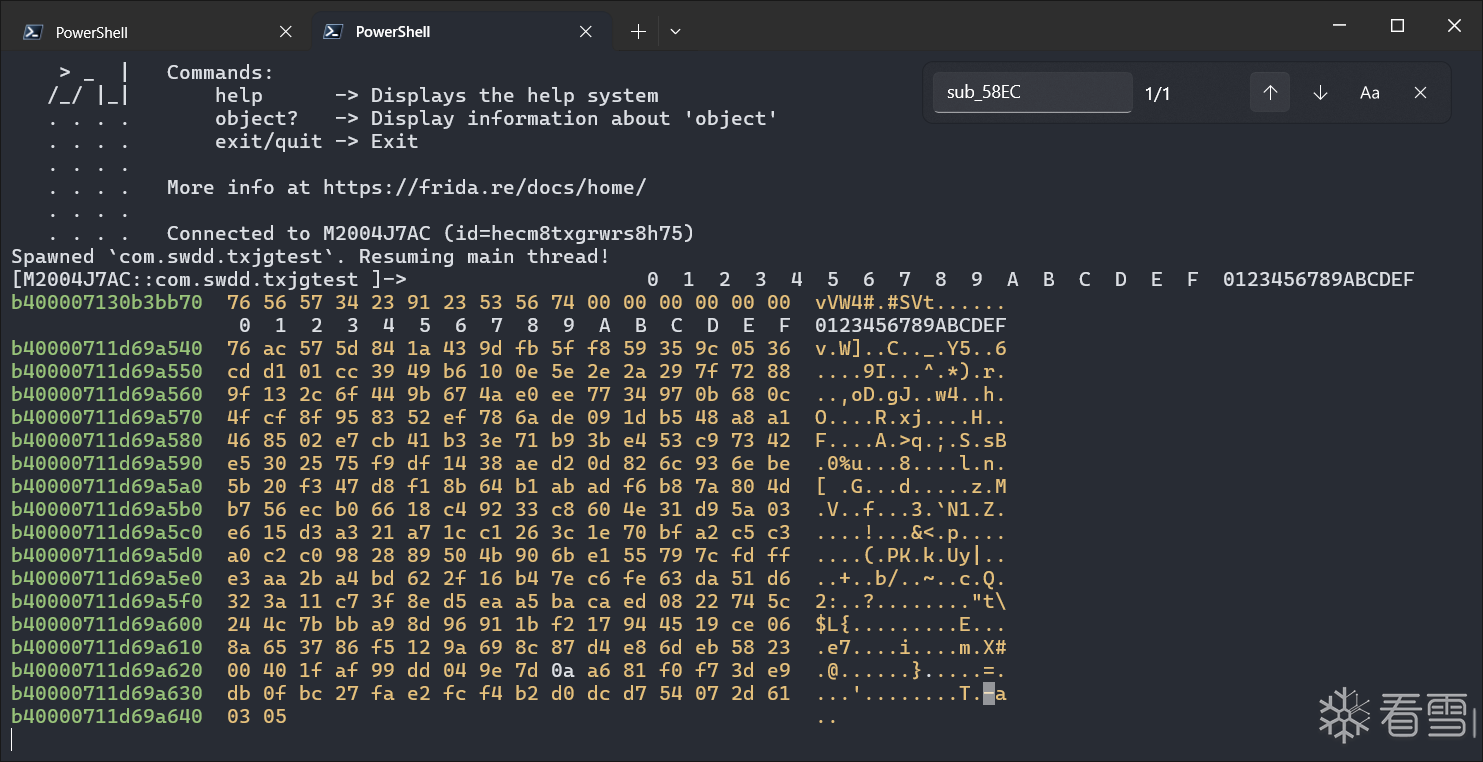
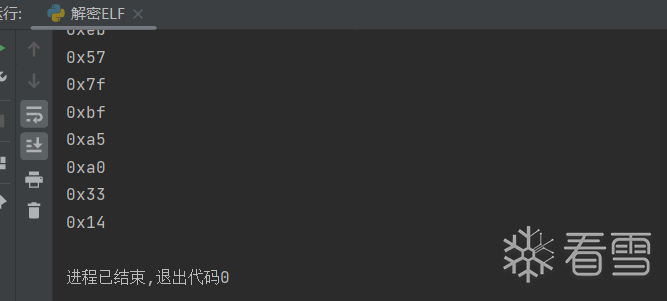
解密成功
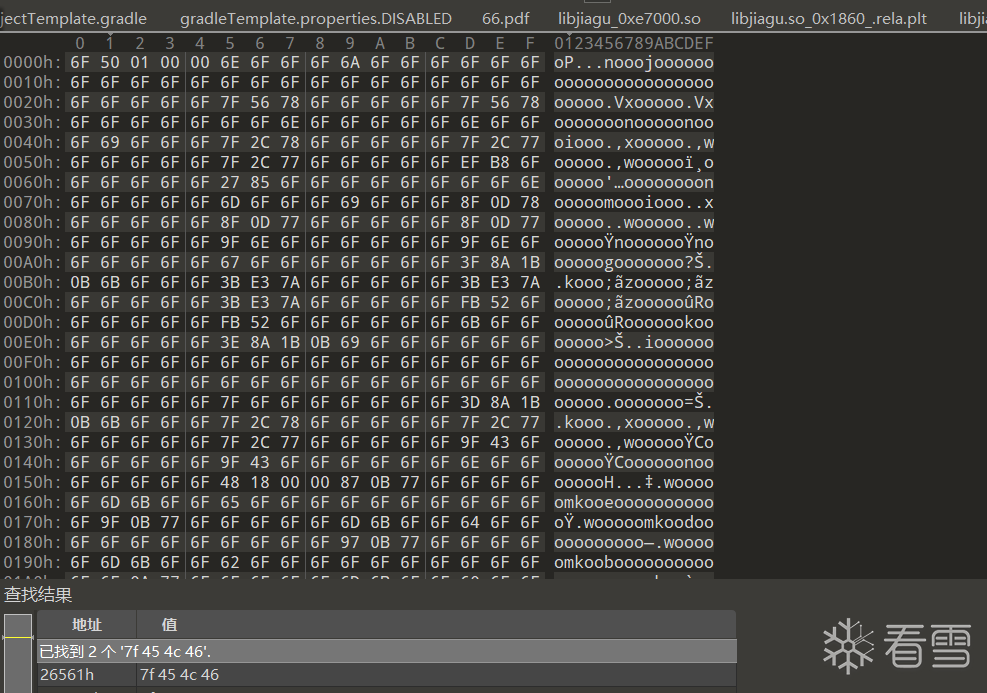
拿到的东西,似乎依旧不是正确的,继续查看调用链,最后在sub_5304找到了这样的一个函数
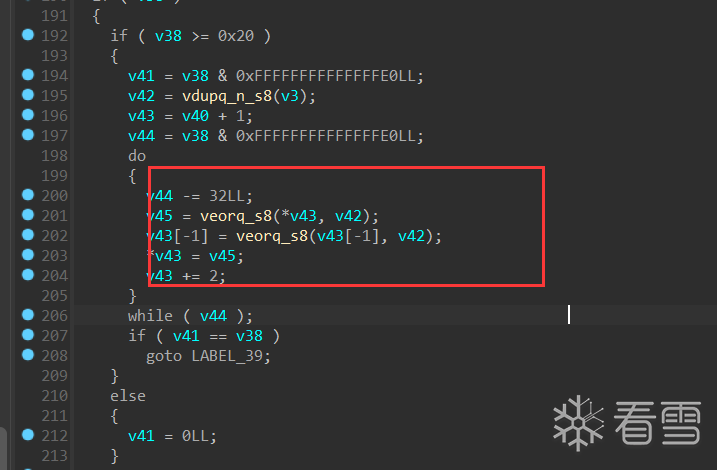
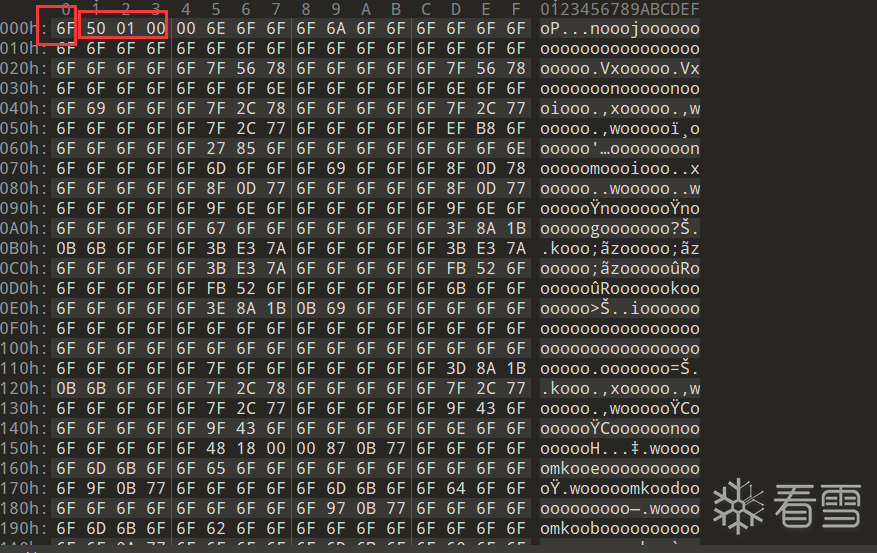
这里其实是一个向量运算,第一个字节为异或的值,后面的四个字节表示异或的大小。
接下来重新用脚本把他们都解密出来:
1 2 3 4 5 6 7 8 9 10 11 12 13 14 15 16 17 18 19 20 21 22 23 24 25 26 27 28 29 30 31 32 33 34 35 36 37 38 39 40 41 42 43 44 45 46 47 48 49 50 51 52 53 54 55 56 57 58 59 60 61 62 63 64 | import zlibimport structdef RC4(data, key): for i in range(0,8): print(hex(data[i])) S = list(range(256)) j = 0 out = [] S = [0x76,0xac,0x57,0x5d,0x84,0x1a,0x43,0x9d,0xfb,0x5f,0xf8,0x59,0x35,0x9c,0x05,0x36,0xcd,0xd1,0x01,0xcc,0x39,0x49,0xb6,0x10,0x0e,0x5e,0x2e,0x2a,0x29,0x7f,0x72,0x88,0x9f,0x13,0x2c,0x6f,0x44,0x9b,0x67,0x4a,0xe0,0xee,0x77,0x34,0x97,0x0b,0x68,0x0c,0x4f,0xcf,0x8f,0x95,0x83,0x52,0xef,0x78,0x6a,0xde,0x09,0x1d,0xb5,0x48,0xa8,0xa1,0x46,0x85,0x02,0xe7,0xcb,0x41,0xb3,0x3e,0x71,0xb9,0x3b,0xe4,0x53,0xc9,0x73,0x42,0xe5,0x30,0x25,0x75,0xf9,0xdf,0x14,0x38,0xae,0xd2,0x0d,0x82,0x6c,0x93,0x6e,0xbe,0x5b,0x20,0xf3,0x47,0xd8,0xf1,0x8b,0x64,0xb1,0xab,0xad,0xf6,0xb8,0x7a,0x80,0x4d,0xb7,0x56,0xec,0xb0,0x66,0x18,0xc4,0x92,0x33,0xc8,0x60,0x4e,0x31,0xd9,0x5a,0x03,0xe6,0x15,0xd3,0xa3,0x21,0xa7,0x1c,0xc1,0x26,0x3c,0x1e,0x70,0xbf,0xa2,0xc5,0xc3,0xa0,0xc2,0xc0,0x98,0x28,0x89,0x50,0x4b,0x90,0x6b,0xe1,0x55,0x79,0x7c,0xfd,0xff,0xe3,0xaa,0x2b,0xa4,0xbd,0x62,0x2f,0x16,0xb4,0x7e,0xc6,0xfe,0x63,0xda,0x51,0xd6,0x32,0x3a,0x11,0xc7,0x3f,0x8e,0xd5,0xea,0xa5,0xba,0xca,0xed,0x08,0x22,0x74,0x5c,0x24,0x4c,0x7b,0xbb,0xa9,0x8d,0x96,0x91,0x1b,0xf2,0x17,0x94,0x45,0x19,0xce,0x06,0x8a,0x65,0x37,0x86,0xf5,0x12,0x9a,0x69,0x8c,0x87,0xd4,0xe8,0x6d,0xeb,0x58,0x23,0x00,0x40,0x1f,0xaf,0x99,0xdd,0x04,0x9e,0x7d,0x0a,0xa6,0x81,0xf0,0xf7,0x3d,0xe9,0xdb,0x0f,0xbc,0x27,0xfa,0xe2,0xfc,0xf4,0xb2,0xd0,0xdc,0xd7,0x54,0x07,0x2d,0x61] i = 0x3 j = 0x5 for ch in data: i = (i + 2) % 256 j = (j + S[i] + 1) % 256 S[i], S[j] = S[j], S[i] out.append(ch ^ S[(S[i] + S[j]) % 256]) return outdef RC4decrypt(ciphertext, key): return RC4(ciphertext, key)wrap_elf_start = 0x2D260wrap_elf_size = 0xB9956key = b"vUV4#\x91#SVt"with open('libjiagu_64.so_Fix','rb') as f: wrap_elf = f.read()# 对密文进行解密dec_compress_elf = RC4decrypt(wrap_elf[wrap_elf_start:wrap_elf_start+wrap_elf_size], key)dec_elf = zlib.decompress(bytes(dec_compress_elf[4::]))with open('wrap_elf','wb') as f: f.write(dec_elf)class part: def __init__(self): self.name = "" self.value = b'' self.offset = 0 self.size = 0index = 1extra_part = [part() for _ in range(7)]seg = ["a", "b", "c", "d"]v_xor = dec_elf[0]for i in range(4): size = int.from_bytes(dec_elf[index:index + 4], 'little') index += 4 extra_part[i + 1].name = seg[i] extra_part[i + 1].value = bytes(map(lambda x: x ^ v_xor, dec_elf[index:index + size])) extra_part[i + 1].size = size index += sizefor p in extra_part: if p.value != b'': filename = f"libjiagu.so_{hex(p.size)}_{p.name}" print(f"[{p.name}] get {filename}, size: {hex(p.size)}") with open(filename, 'wb') as f: f.write(p.value) |
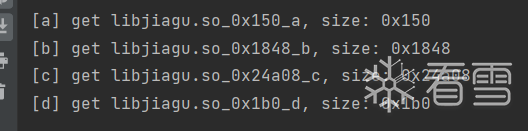
得到每个段的大小和偏移,还记不记得我们之前讲过程序头是6个大小0x38的字节组成的,那么计算一波这个a正好满足程序头的大小,那么我们使用010修补原本程序
然后我们继续观察,.rela.plt,.rela.dyn储存的内容是要远远大于dynamic的,所以我们可以锁定dynamic是d,那么我们根据program header table找到dynamic的偏移:
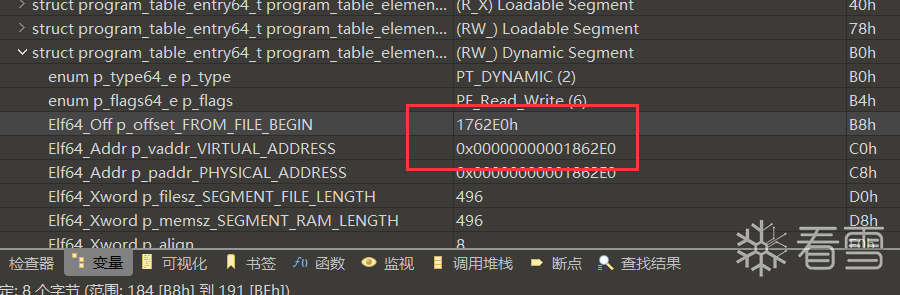
CTRL+G跳转过去
填入d的内容
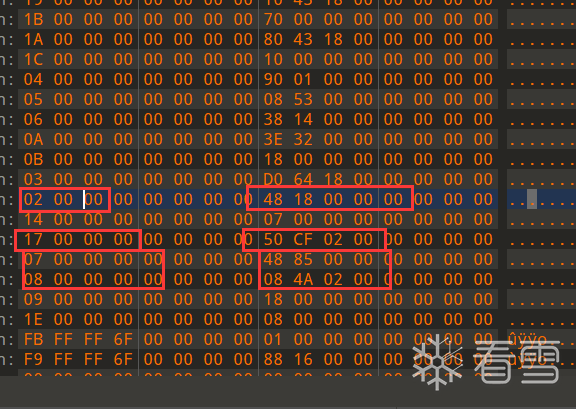
接下来:
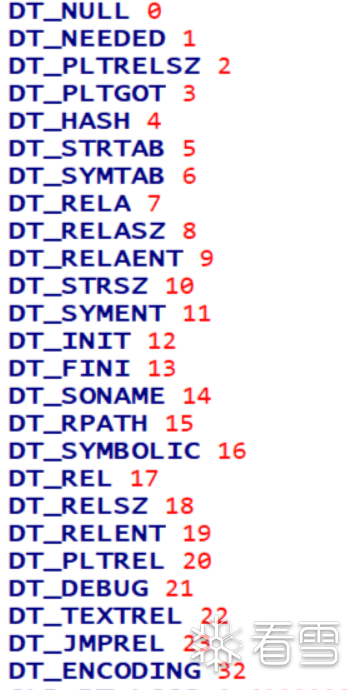
根据这个我们就能知道
0x7是dyn偏移,0x8是dyn大小
0x17是plt偏移,0x2是plt大小

对应的那么b就是plt了,c就是dyn了,依旧是填入修复:
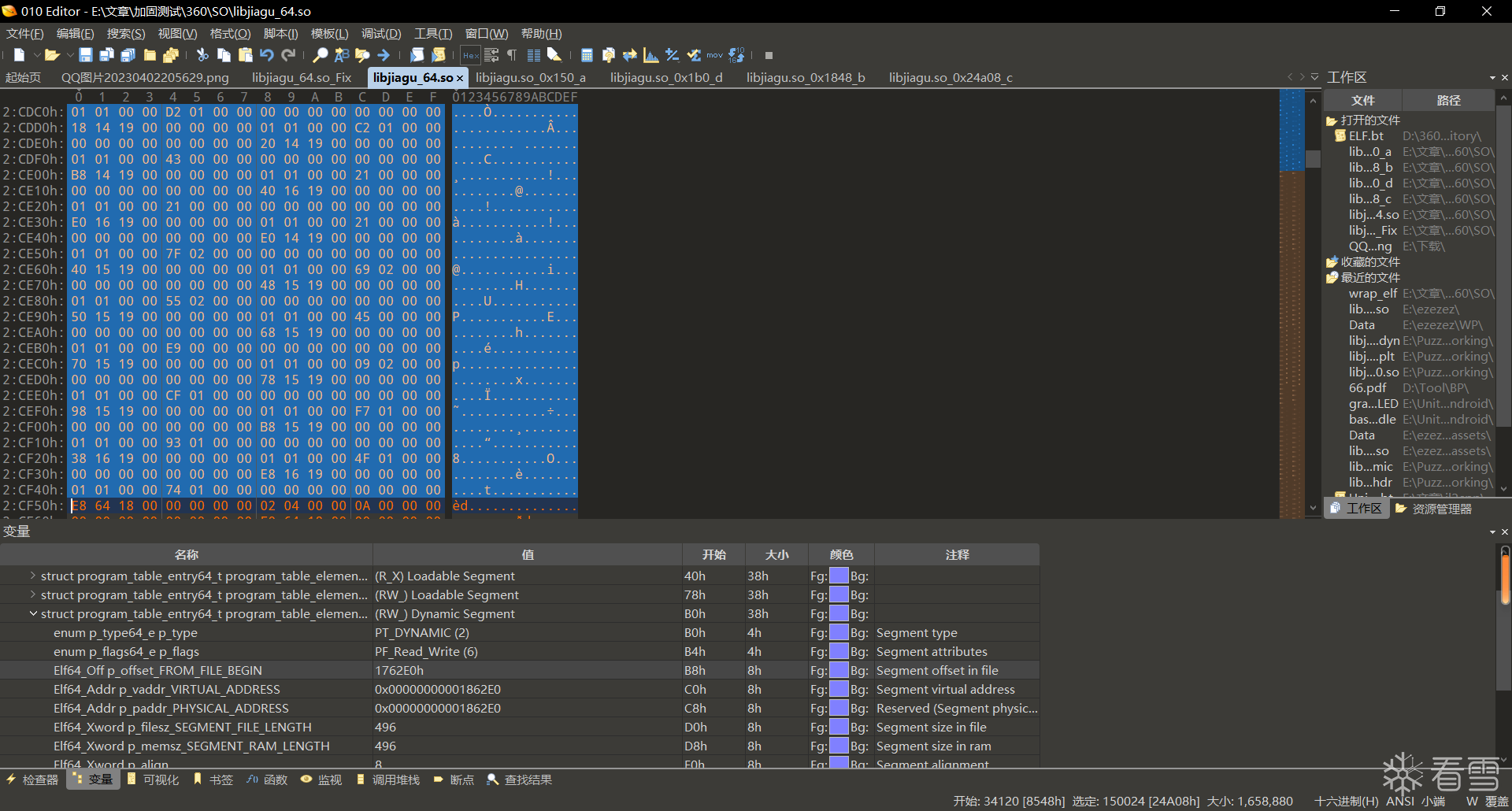
至此,主so修复完成。
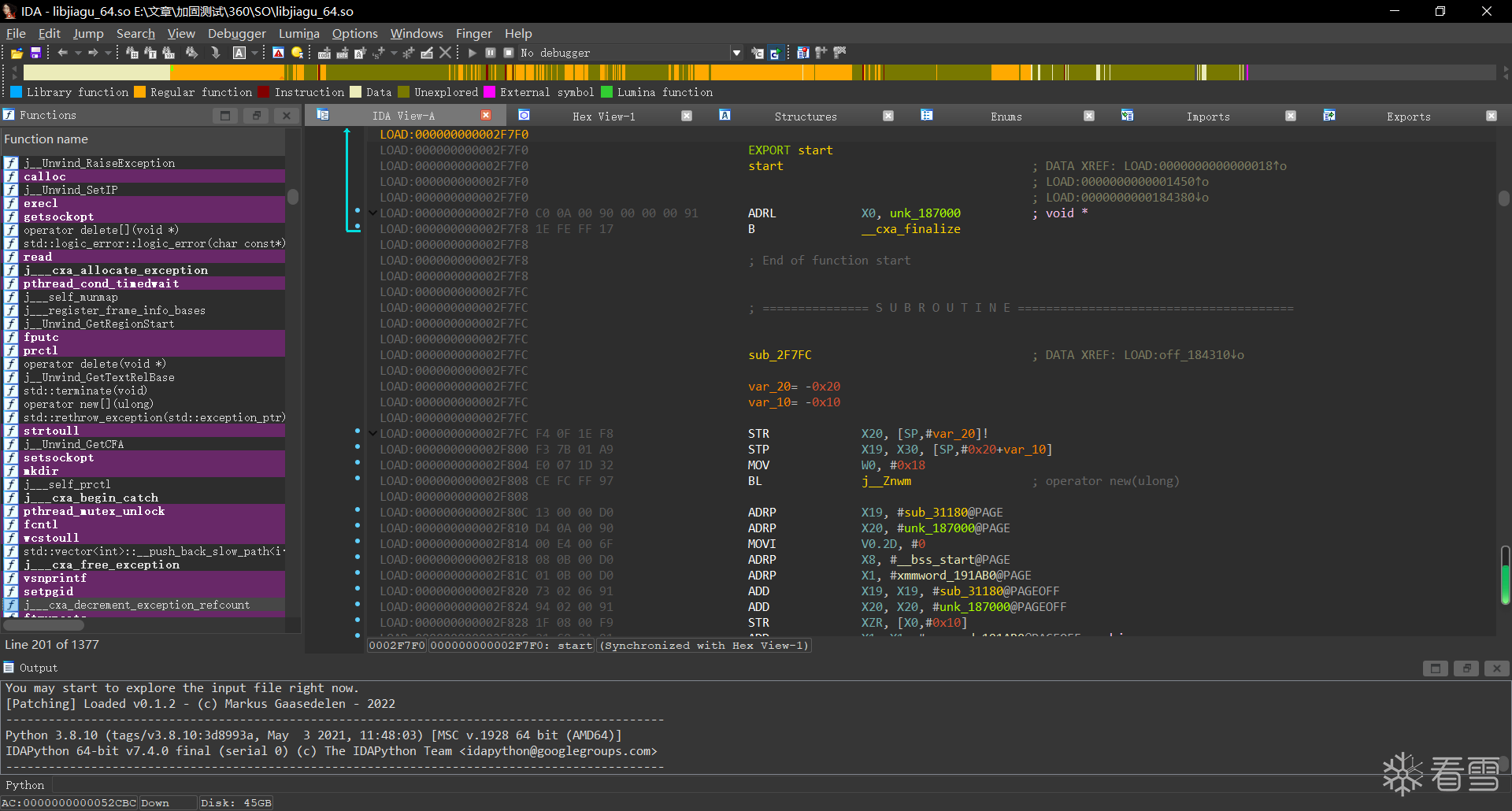
Dex释放分析
为了方便hook和分析,我们需要设置基地址为这个so的地址:这里是0xe8000
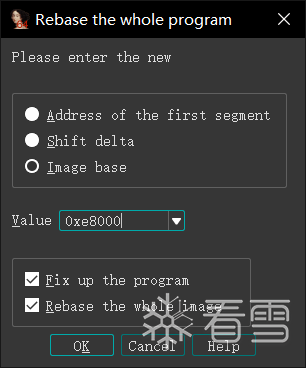
设置完了之后大家是否还记得最开始我们跟踪open的时候那几个函数呢,我们现在继续过去看看。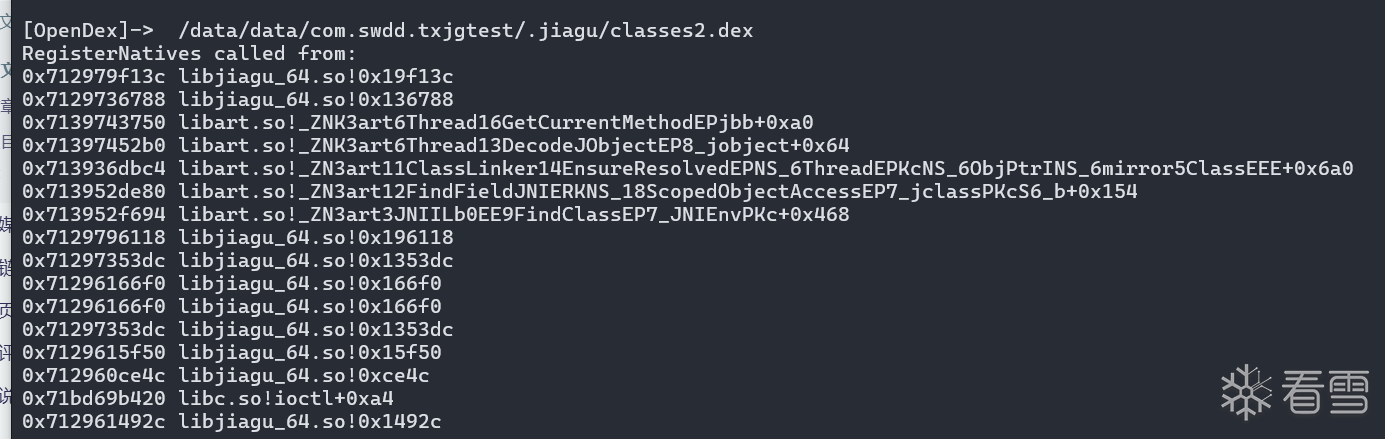
我们可以观察到在打开dex之后会调用0x136788,调用完他之后调用了artso里面的一些擀卷函数FindClass???显然在0x136788之后就解密完成了,那么我们跟过去看看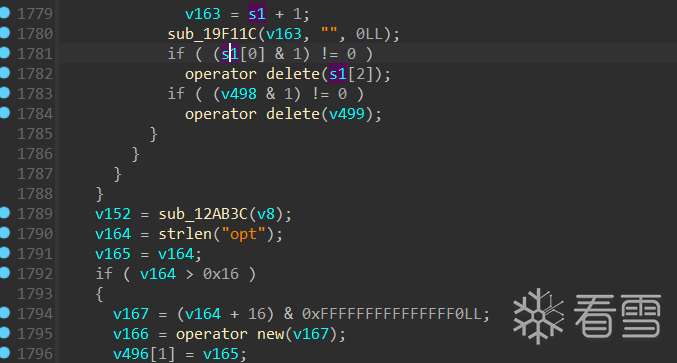
这附近肯定就存在解密解密点了,向下看:
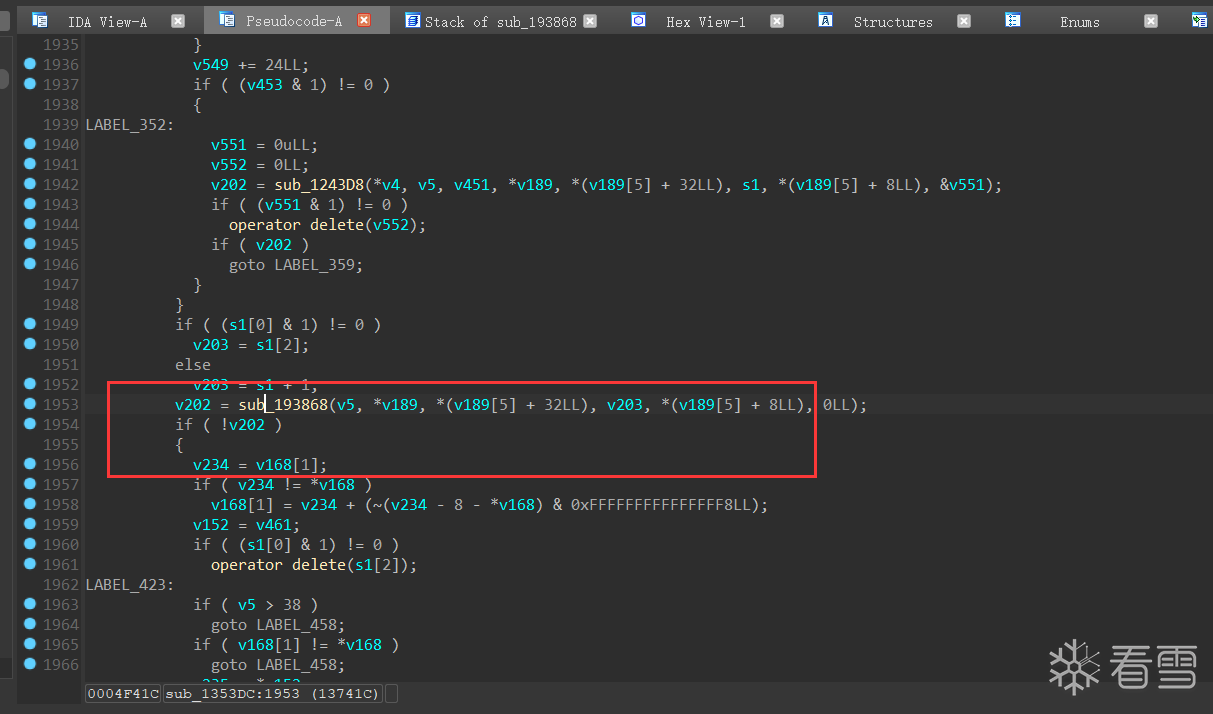
我们可以找到该方法,通过之前hook的方式打印他的调用栈。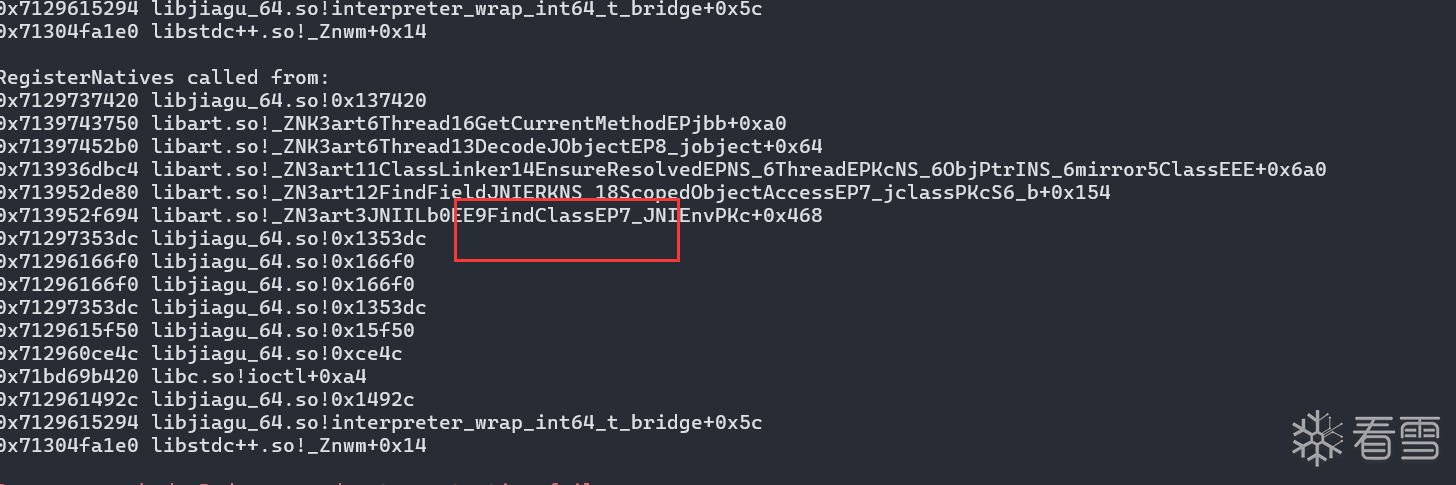
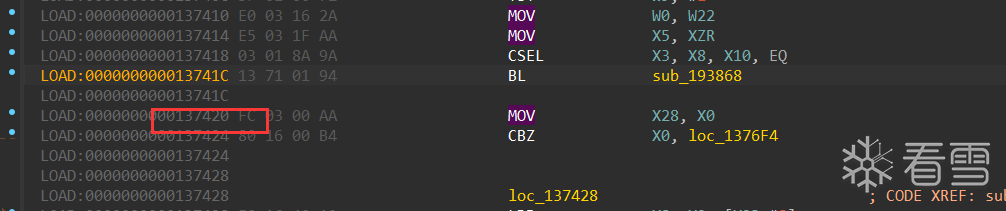
这
之后立马就是加载findclass这些,我们直接看看他的参数是什么样的,这里需要注意,之前我们hook的是Android_dlopen_ext,但是由于这个是主elf不是使用上面的加载的了,所以我们得改用对dlopen做hook。
hook一下0x193868,然后看一下内存
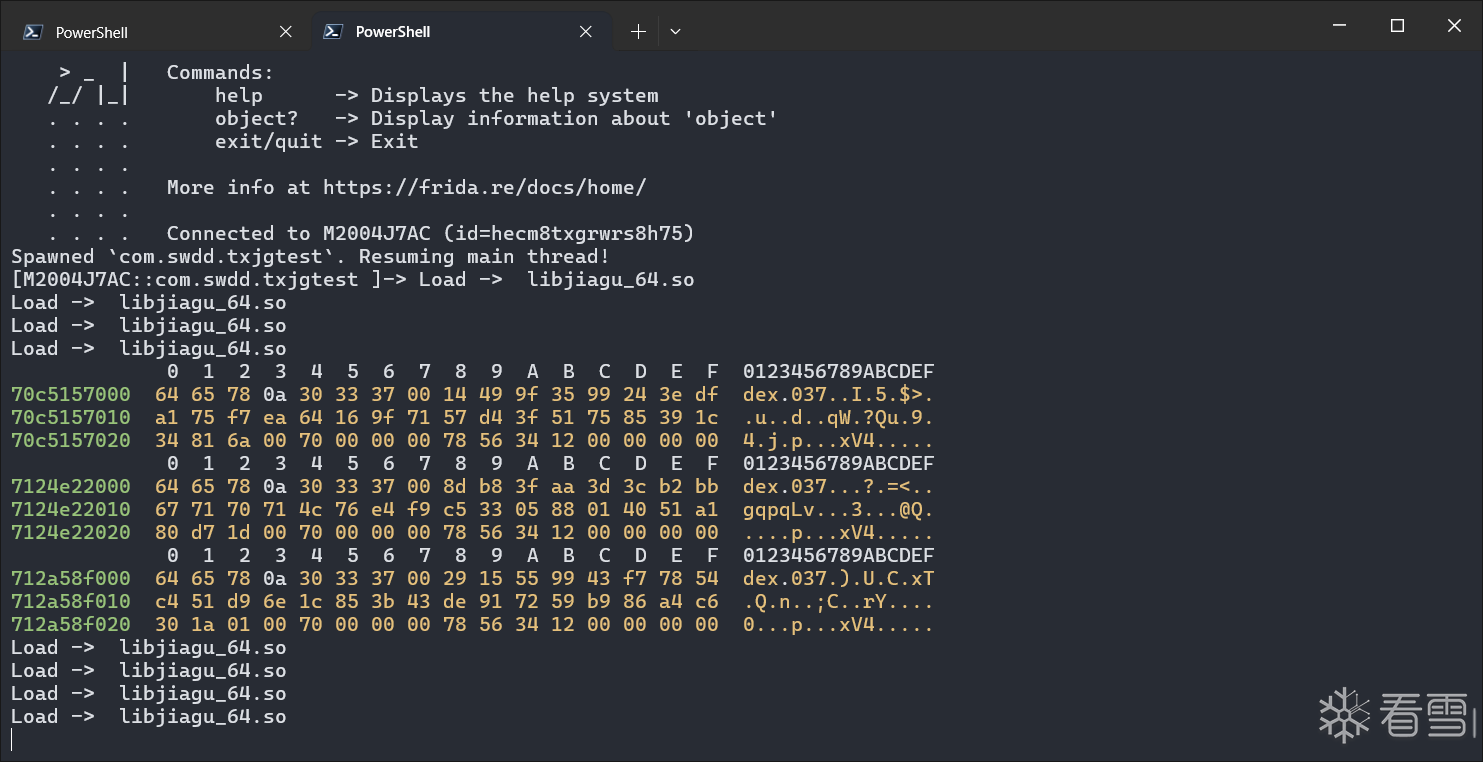
全体起立。
接下来就是把这个内存给dump下来了,那么要dump多大还不知道,我们看看别的参数。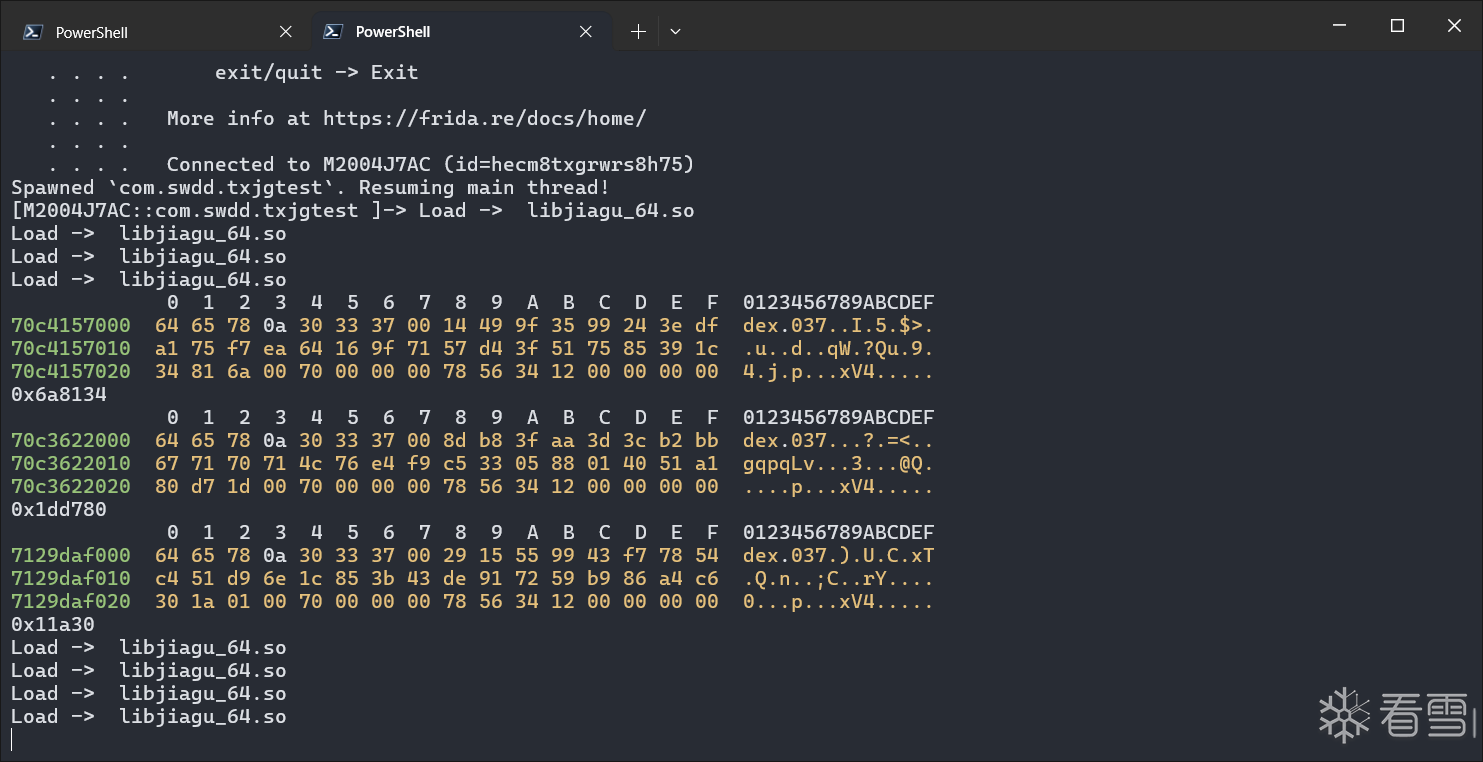
发现aargs[2]就是dex的大小,那么我们根据这个写脚本就可以了。
1 2 3 4 5 6 7 8 9 10 11 12 13 14 15 16 17 18 19 20 21 22 23 24 25 26 27 28 29 30 31 32 33 34 35 36 37 38 39 40 41 42 43 44 45 46 47 48 49 50 51 52 53 54 55 56 | function travedec() { var base = Process.findModuleByName("libjiagu_64.so").base.add(0x193868); var fileIndex = 0 //console.log(base); Interceptor.attach(base, { onEnter: function (args) { console.log(hexdump(args[1], { offset: 0, length: 0x30, header: true, ansi: true })) console.log(args[2]); try { var length = args[2].toInt32(); var data = Memory.readByteArray(args[1], length); var filePath = "/data/data/com.swdd.txjgtest/files/" + fileIndex + ".dex"; var file_handle = new File(filePath, "wb"); if (file_handle && file_handle != null) { file_handle.write(data); file_handle.flush(); file_handle.close(); console.log("Data written to " + filePath); fileIndex++; } else { console.log("Failed to create file: " + filePath); } } catch (e) { console.log("Error: " + e.message); } }, onLeave: function (args) { } })}function hook_dlopne() { var once = true; Interceptor.attach(Module.findExportByName(null, "dlopen"), { onEnter: function (args) { var loadFileName = args[0].readCString(); if (loadFileName.indexOf('libjiagu') != -1) { console.log("Load -> ", loadFileName); this.is_can_hook = true; } }, onLeave: function () { if (this.is_can_hook && once) { travedec(); once = false; } } })}setImmediate(hook_dlopne); |
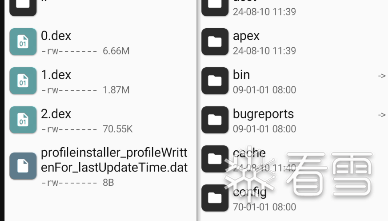
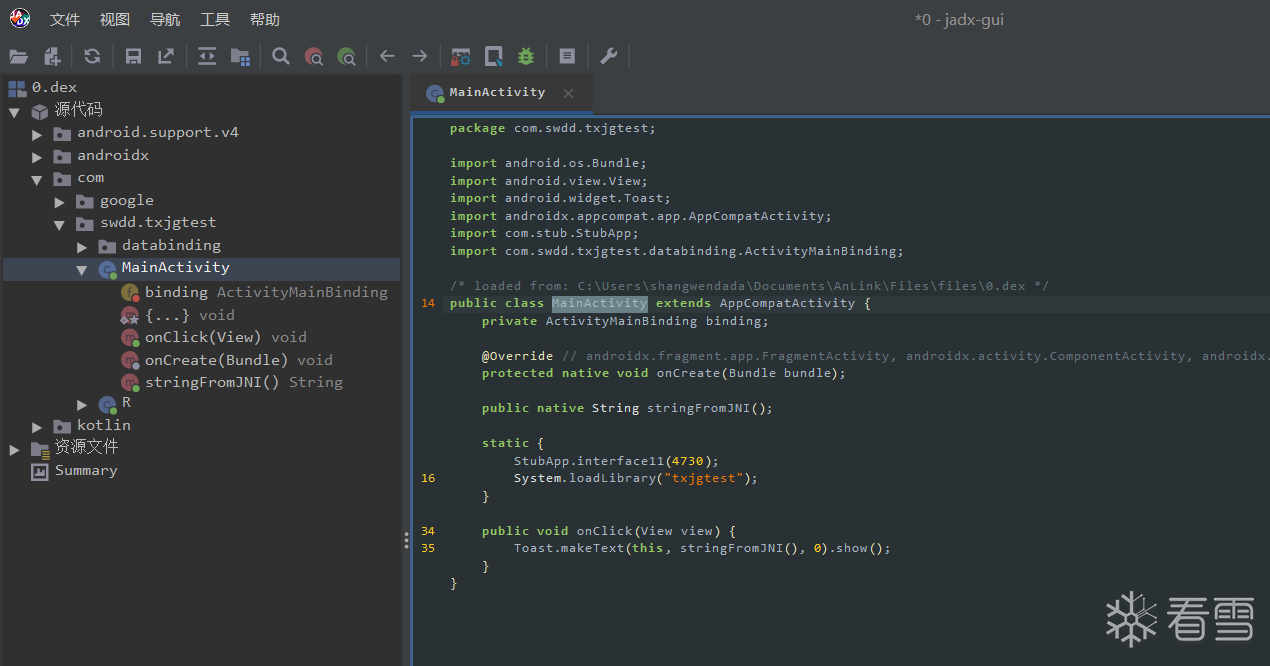
至此,结束。
参考
整个内容复现于https://oacia.dev/360-jiagu/
 逆天而行
逆天而行